A package diagram is a type of structural diagram that shows packages and the dependencies between them. A package is a grouping of modeling elements such as classes, interfaces, components, and even other packages.
# Components
-
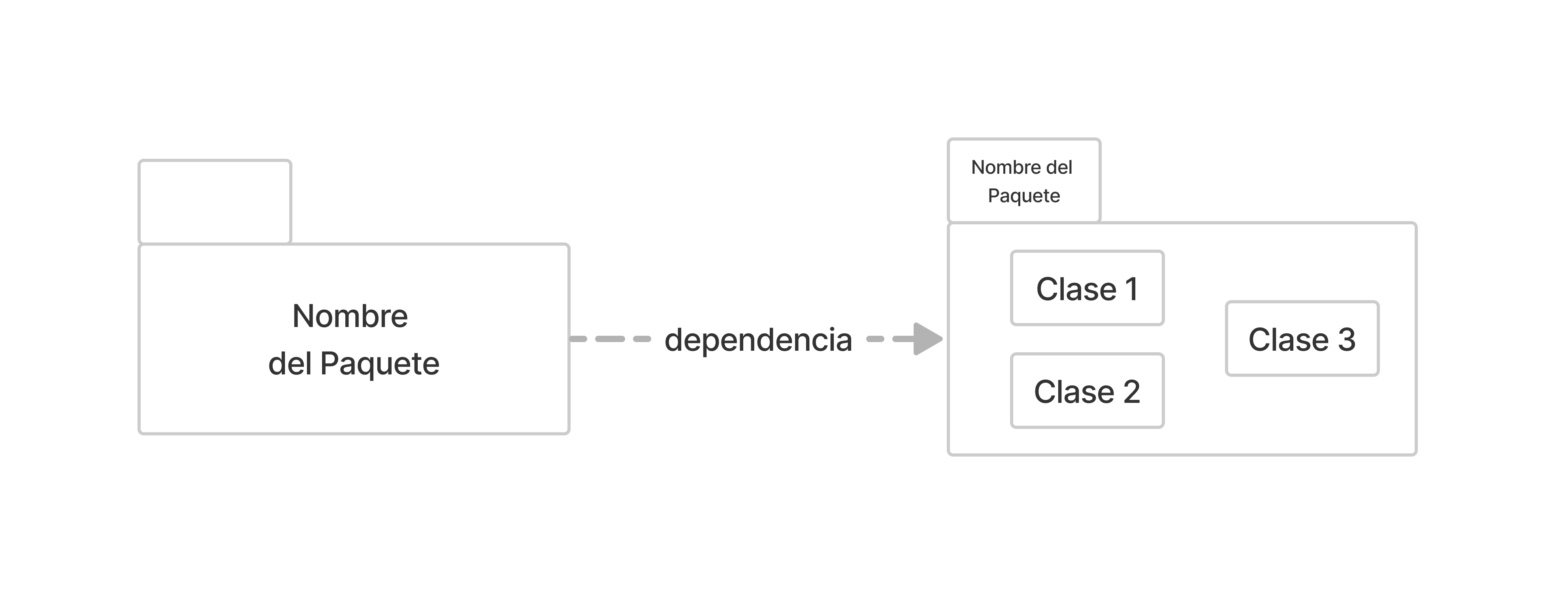
Package: Represented by a folder or a rectangle with a small tab, it contains model elements.
-
Dependency: A dashed line with an arrow indicating a dependency relationship. The package from which the arrow starts depends on the one it points to.
-
Generalization: Indicates that a specific package must adapt to the interface of the general package. It is comparable to generalization in classes. Using packages with interfaces (
<I>) is an excellent resource for breaking cycles in the dependency structure.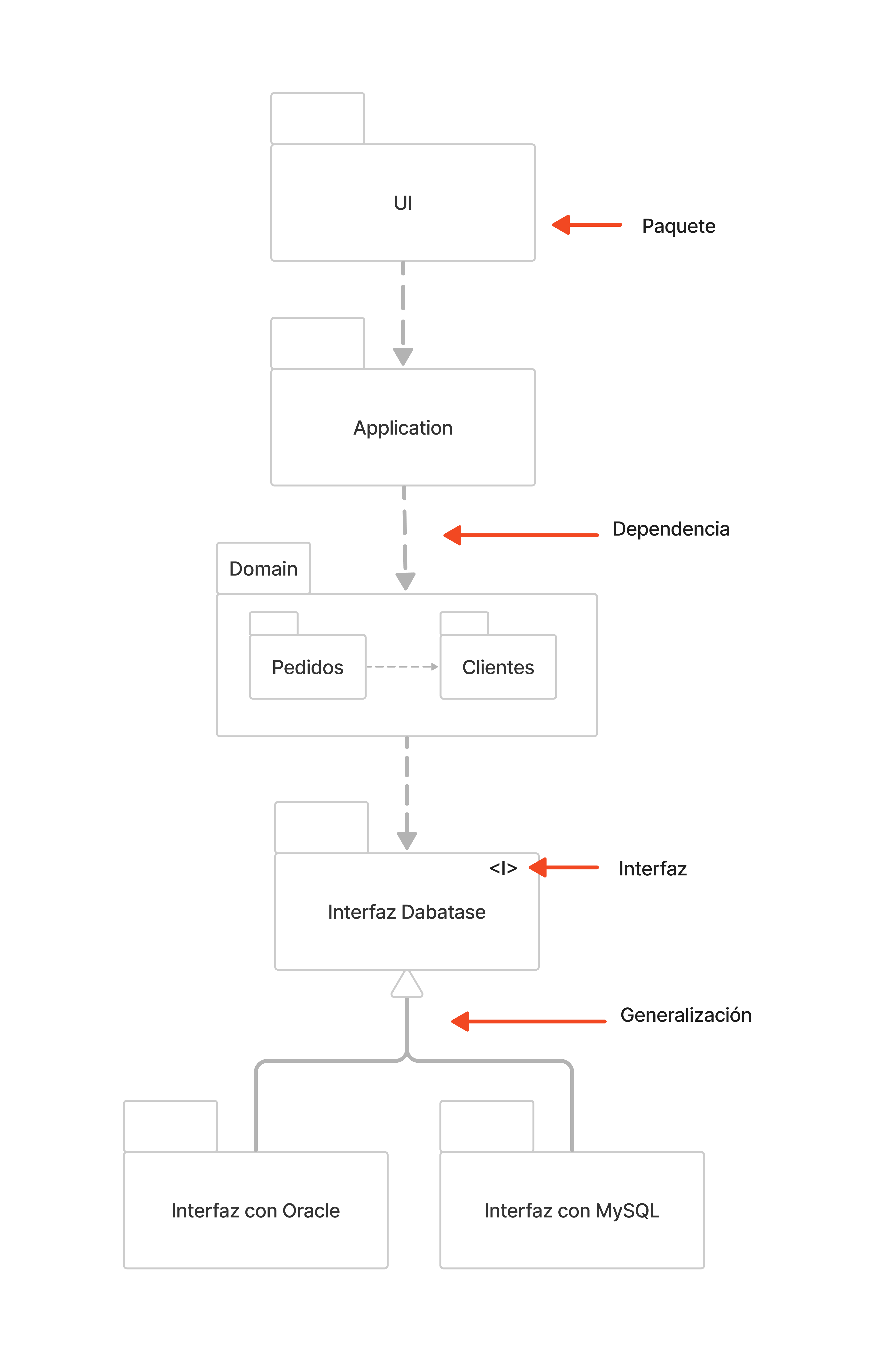
# Purpose
-
Organization: Represent the system structure at a macro level.
-
Dependencies: Detect and avoid cyclic structures.
-
Reusability: Facilitate the use of well-defined packages in other systems.
-
Change Management: Understand the impact of modifying a module.
# Advantages
-
done_all
Abstraction: High-level view that hides internal complexity.
-
done_all
Modularity: Allows working on discrete components.
-
done_all
Maintainability: Clearly defines how to update parts without affecting others.
# Practical Use
Commonly used for:
-
Planning New Features: Determine the logical location of new functions.
-
Refactoring: Identifying packages that need structural improvements.
-
Onboarding: Facilitating architectural understanding for new developers.
# Conclusions
The package diagram is an essential tool for visualizing and understanding the high-level structure of a system. It facilitates modularity, component reusability, and change management.
The main challenge is keeping them updated in large, complex systems, but they are fundamental for achieving good architecture.