Here we are going to talk about algorithms, the logic of programming, what's fundamental when writing a program.
# Algorithms
Our programs are written with algorithms. An algorithm is a sequence of steps that allows us to solve a problem, achieve a goal.
Surely you've heard about the Youtube, Tiktok, or Instagram algorithm; based on what you watch, it recommends what it thinks you might like.
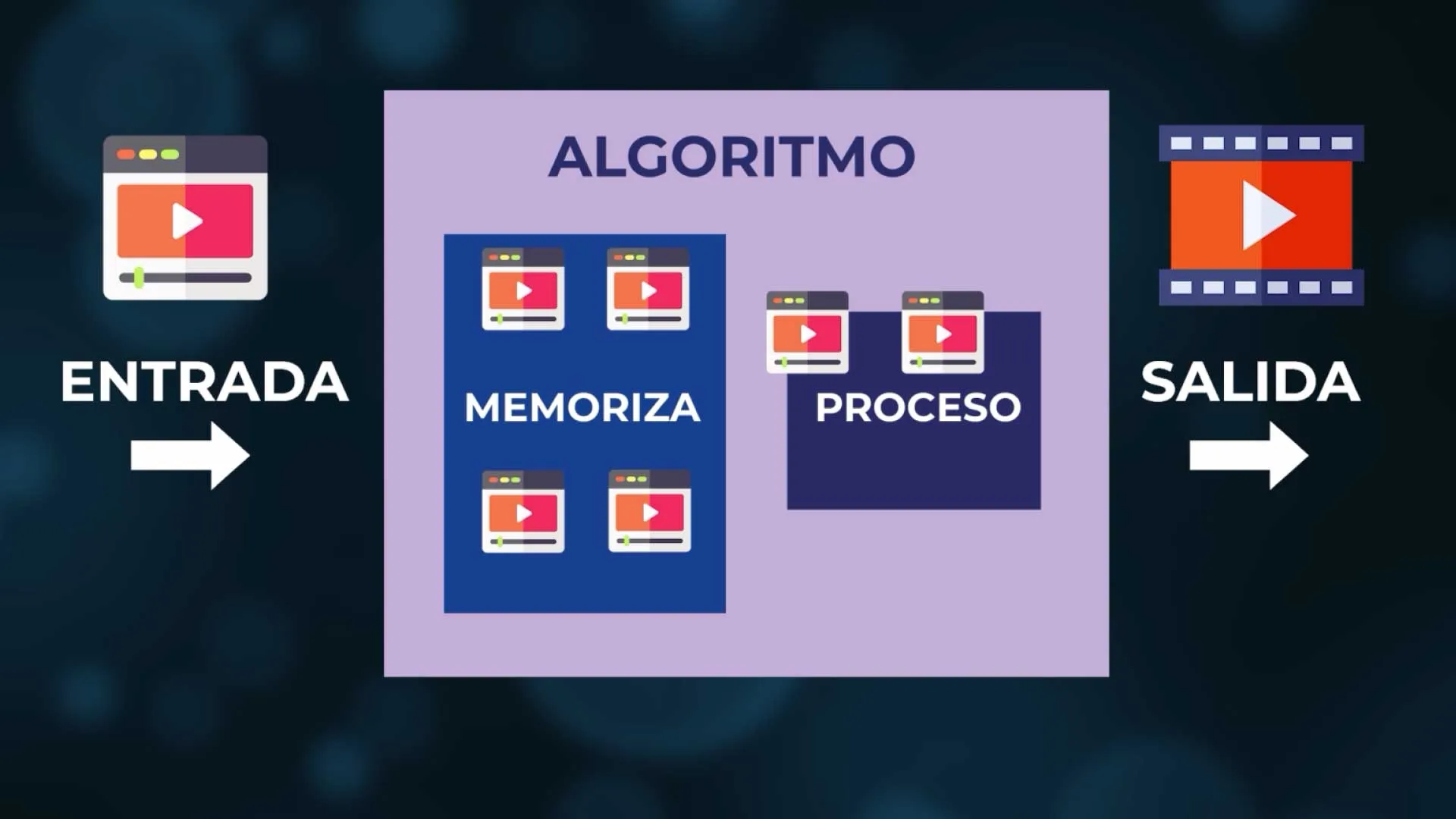
It records what we see, memorizes it, processes it, and returns the result, what it thinks we want to watch: the output.
We must learn to write this basic logic, the most common example is a cooking recipe: "Put 500g of flour, put two eggs, put 10g of sugar, mix".

Very specific. I don't say: "put flour", I say the amount I have to put. I must clarify everything necessary so that there is no confusion and it must be in the right order (I can't mix first and then put the flour).
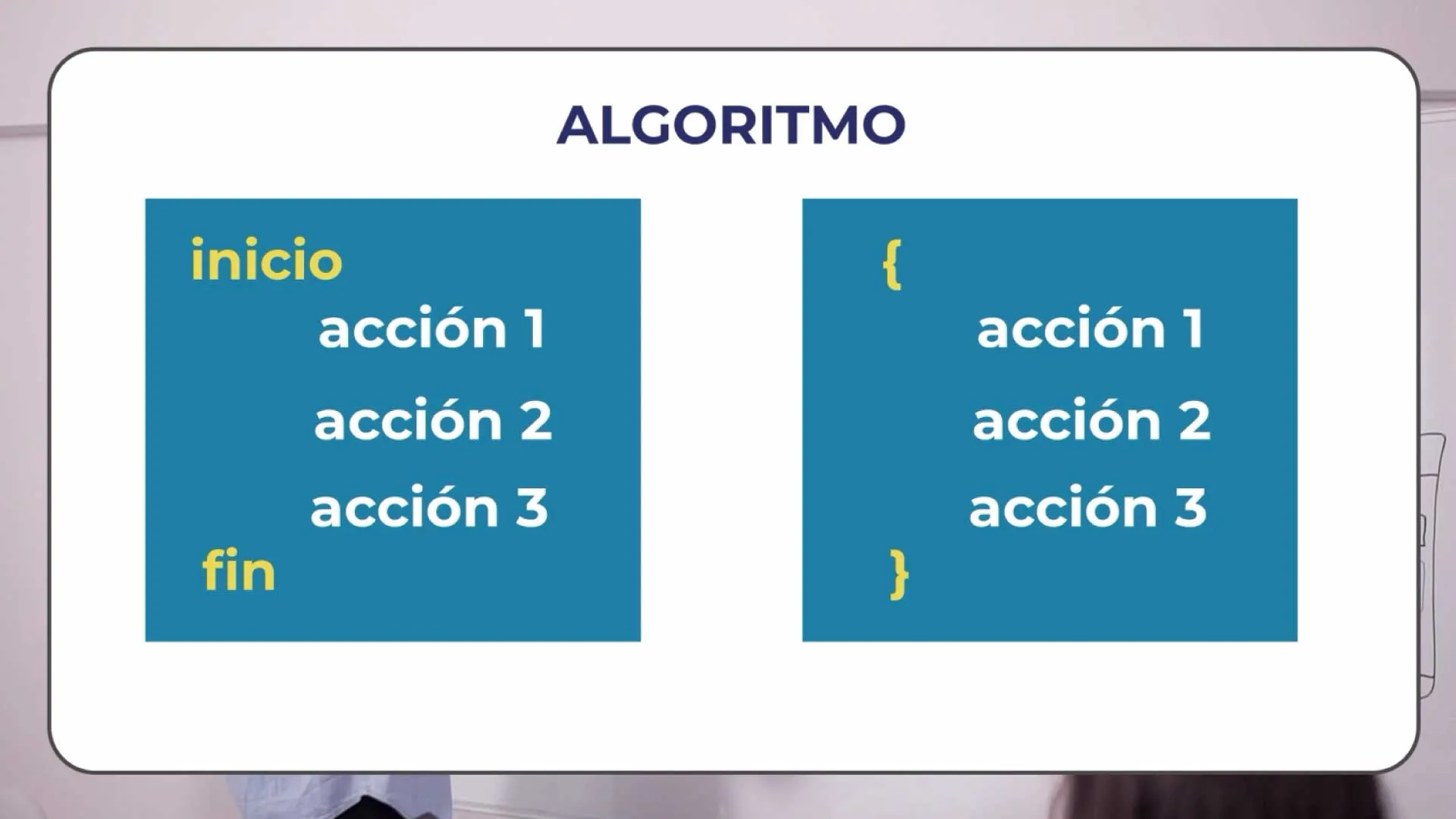
Our algorithms are written within blocks of code. They have a beginning, they have an end (so that it is known where it starts and where it ends) and inside is our block, the actions it executes: the process.
Every algorithm can be written with 3 structures, yes! nothing more than 3!
- 1. Sequential structure: goes line by line in a concrete order.
- 2. Conditional structure: allows choosing one path or another, or several.
- 3. Repetitive structure or loops: allow repeating the execution of a block of code.
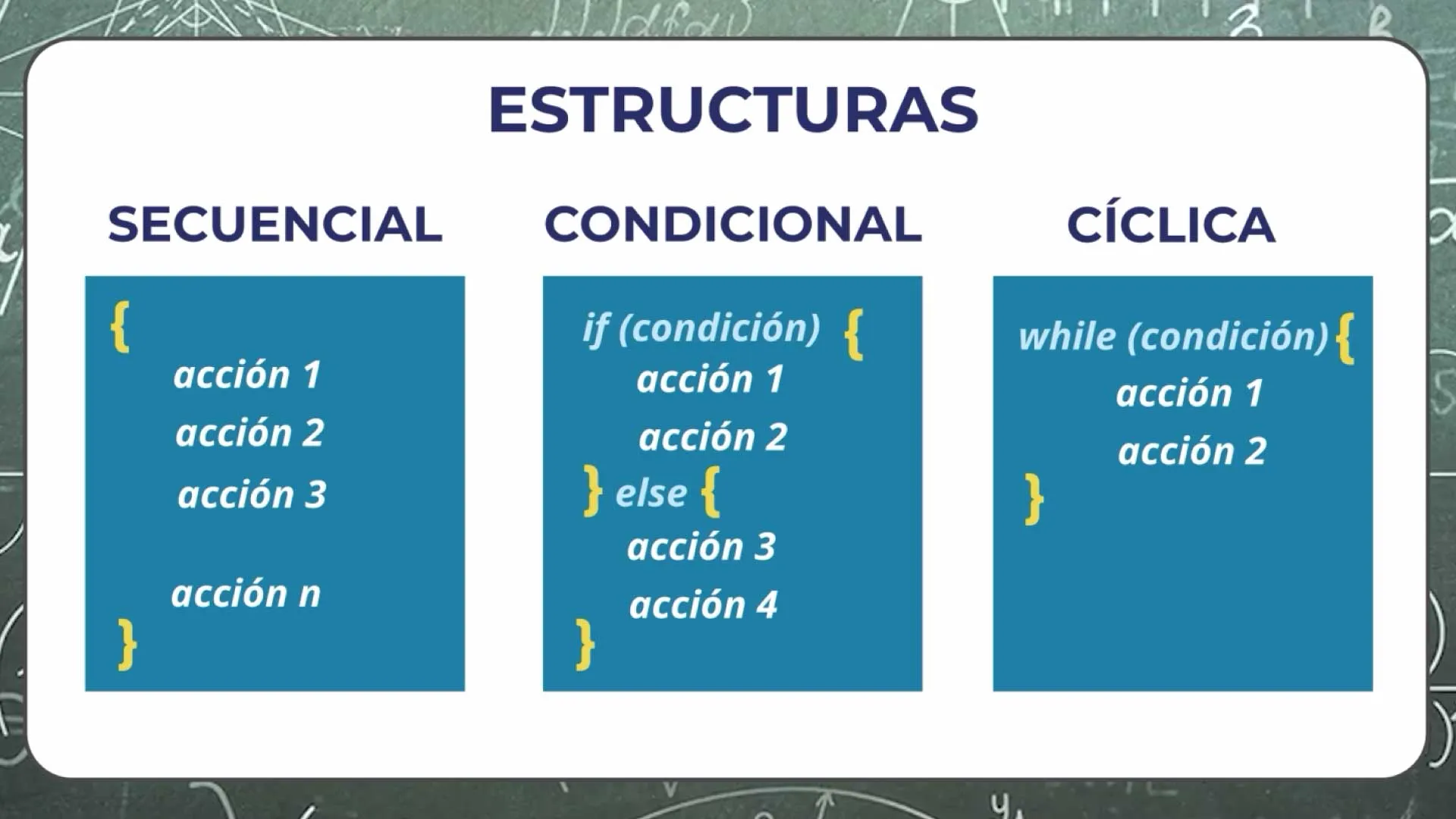
Knowing these structures well, we can write any algorithm.
# Variables
We saw that there is an input, a memorization, a process, and an output. To save this input (memorize) we have little boxes called variables. These variables allow us to store elements that we can use throughout our program.
We can see it as a little box in which we save a value, modify it, or view it.
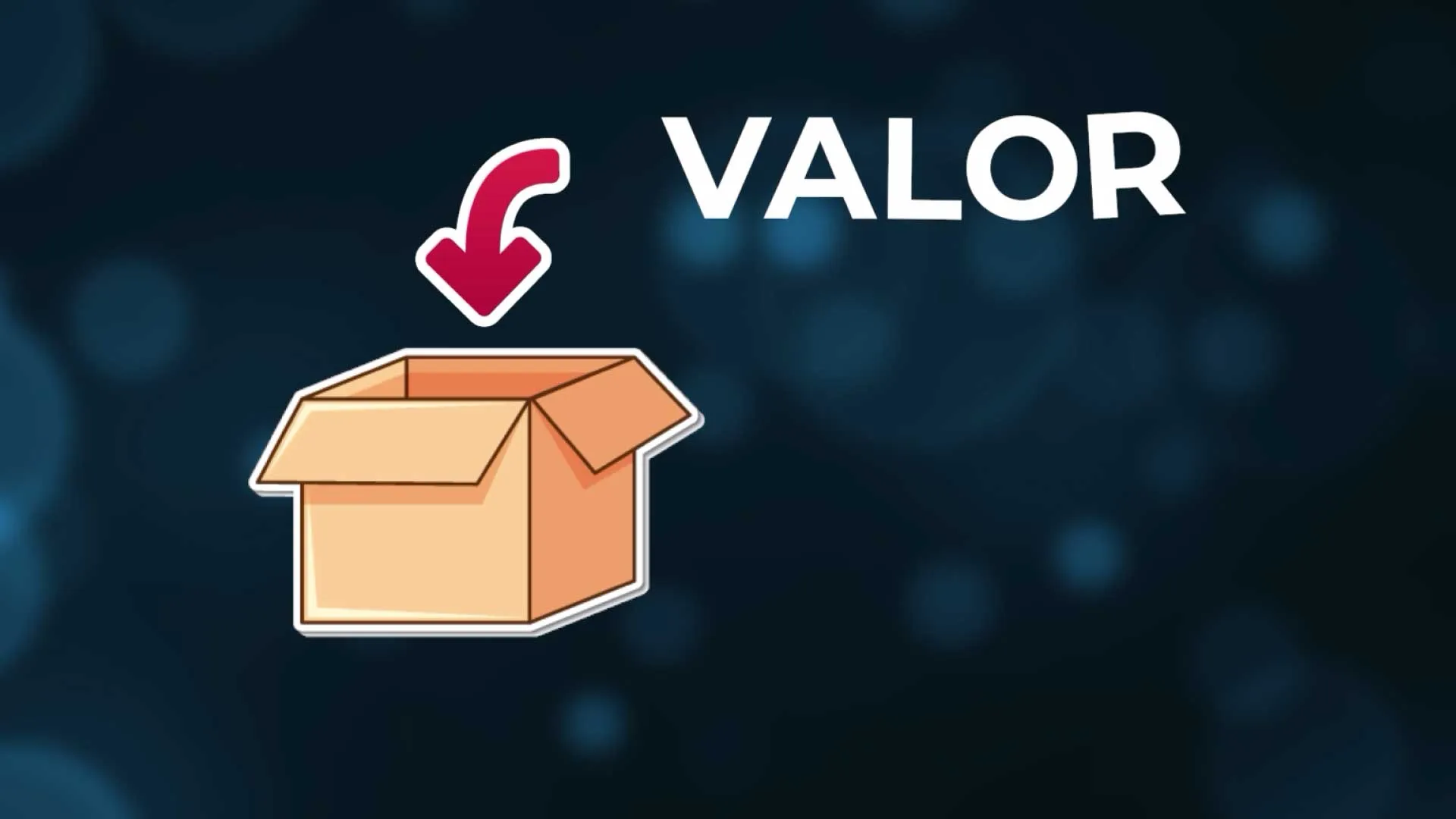
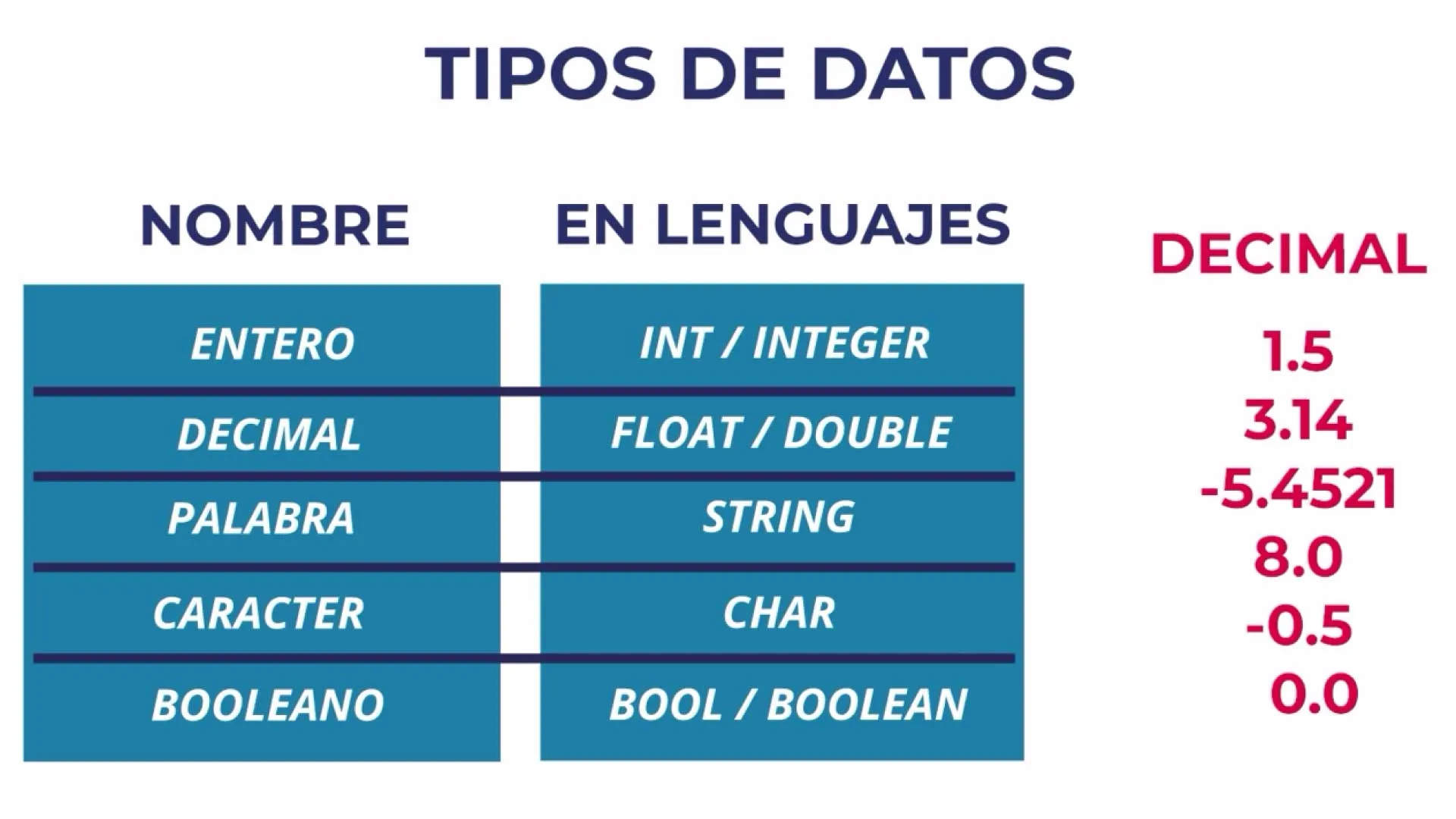
These boxes are of a specific type, a box can save an integer value, a decimal value, a word, a letter, a boolean (true or false). That specific type is the data type that the variable can hold.
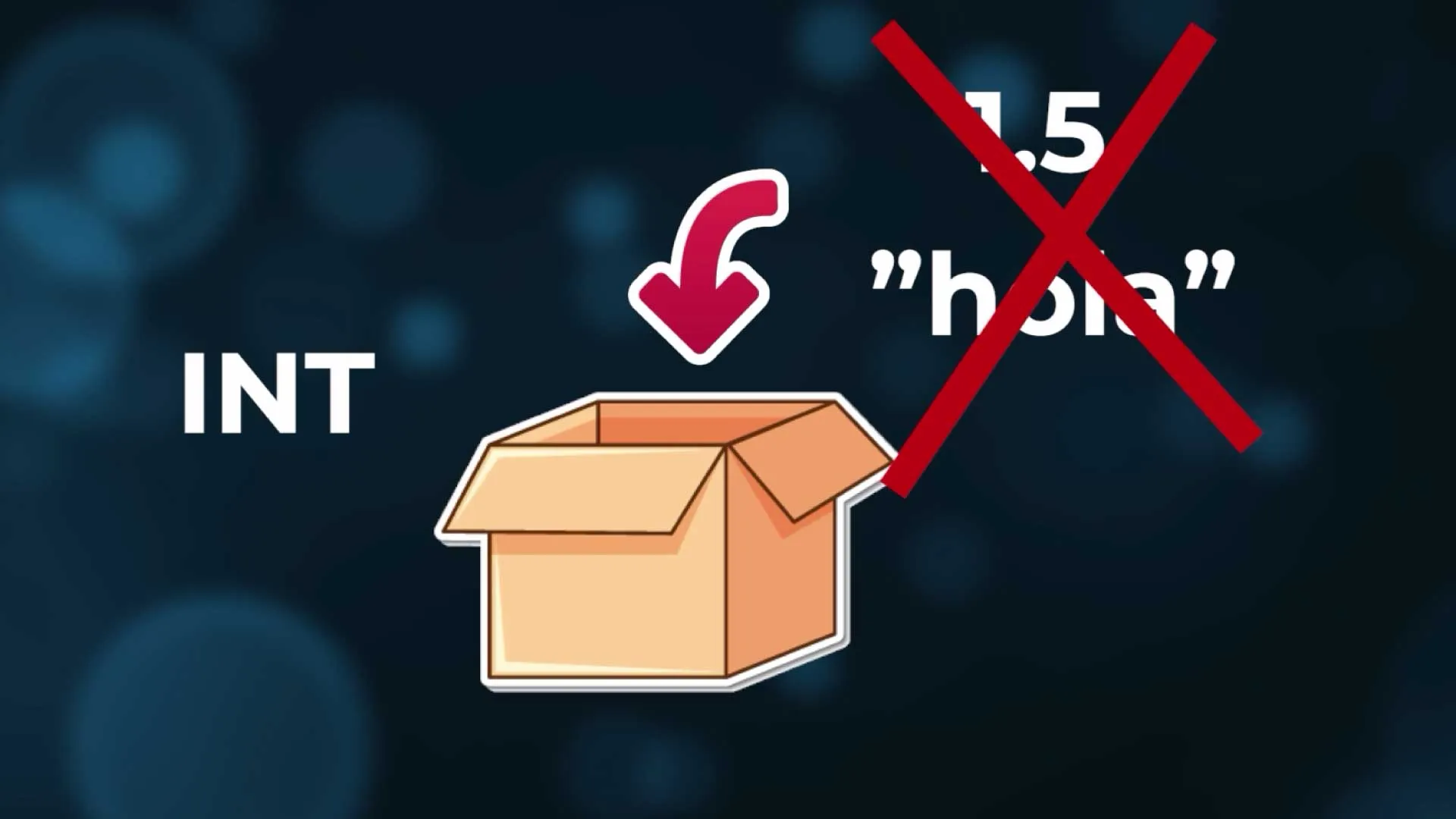
If we have an integer box, we won't be able to save a decimal, nor a word.
In addition to a data type and a value (what we save inside the little box), the variable has an identifier, a name.
For example, I call my variable "age", that's the name the variable has. With that name, I can use it to give it a value, to modify its value, or to see it.

Variable names must be representative, for example "int age" I know I am representing an age. But if I name my variable "a", I don't know what it means. If I'm in a program that has a few lines, nothing happens, but in a program with thousands, hundreds of thousands of lines, it becomes harder to understand, and our job is always to make life easier for other programmers (even for ourselves if we have to see that code again).

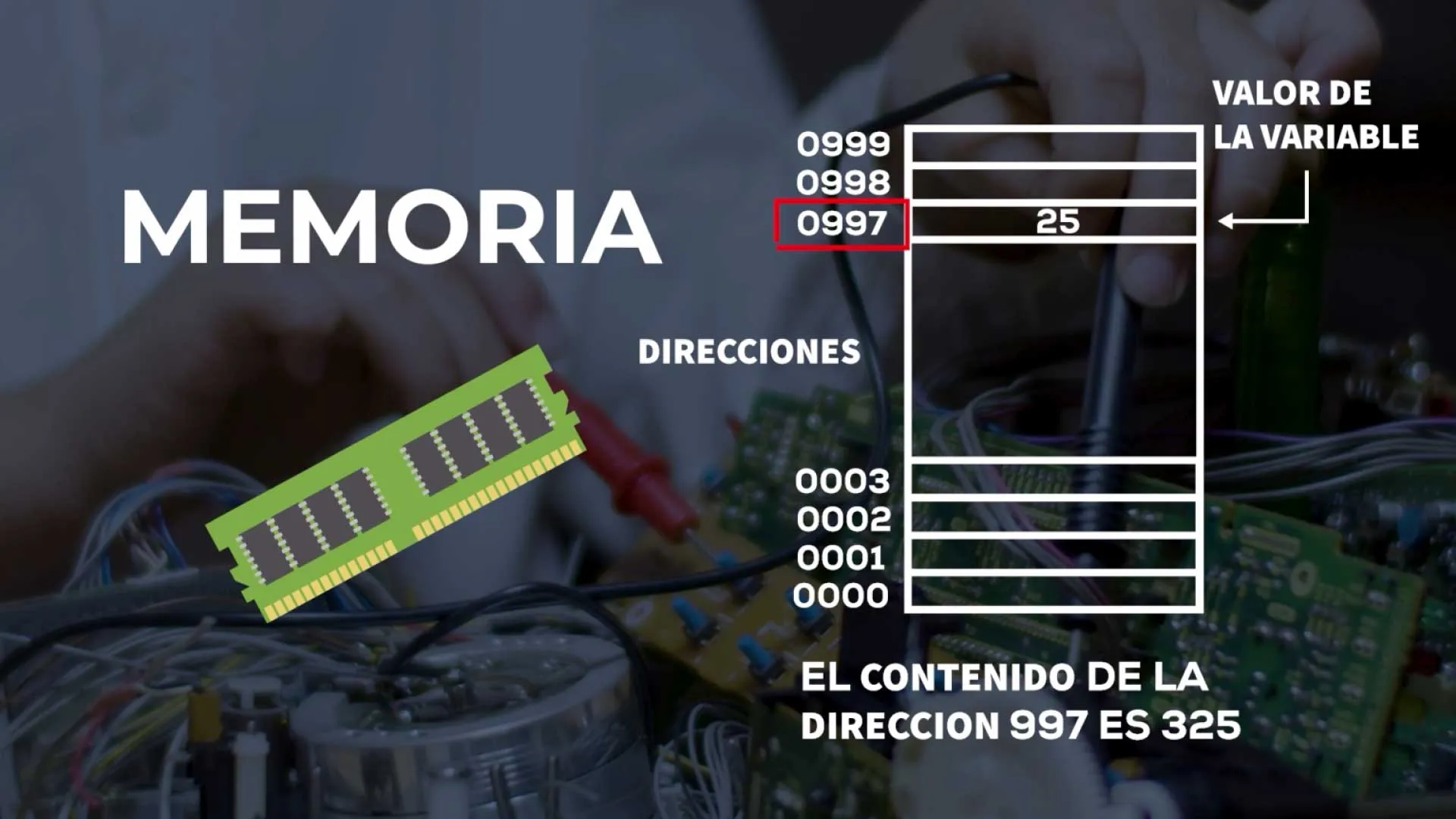
In reality, in the computational process, a variable is a memory position where the value is stored. The size of that memory position will depend on the data type we save.
# Operators
To save something in the little box (in the memory position) I have operators that allow working with variables.
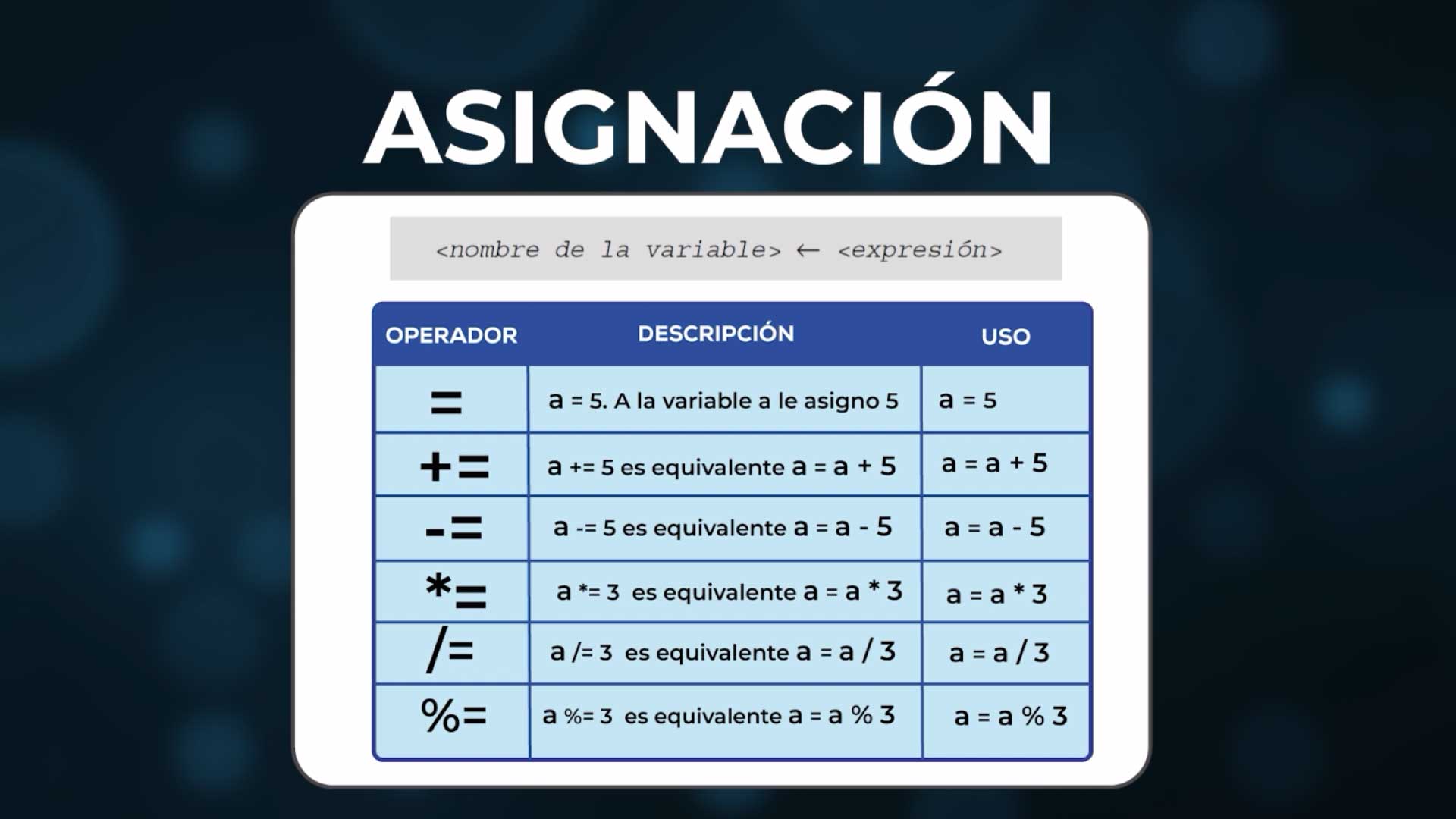
The assignment operator (I will consider that it is represented with the equal sign ("="), which is used in many languages) allows giving a value to a variable.
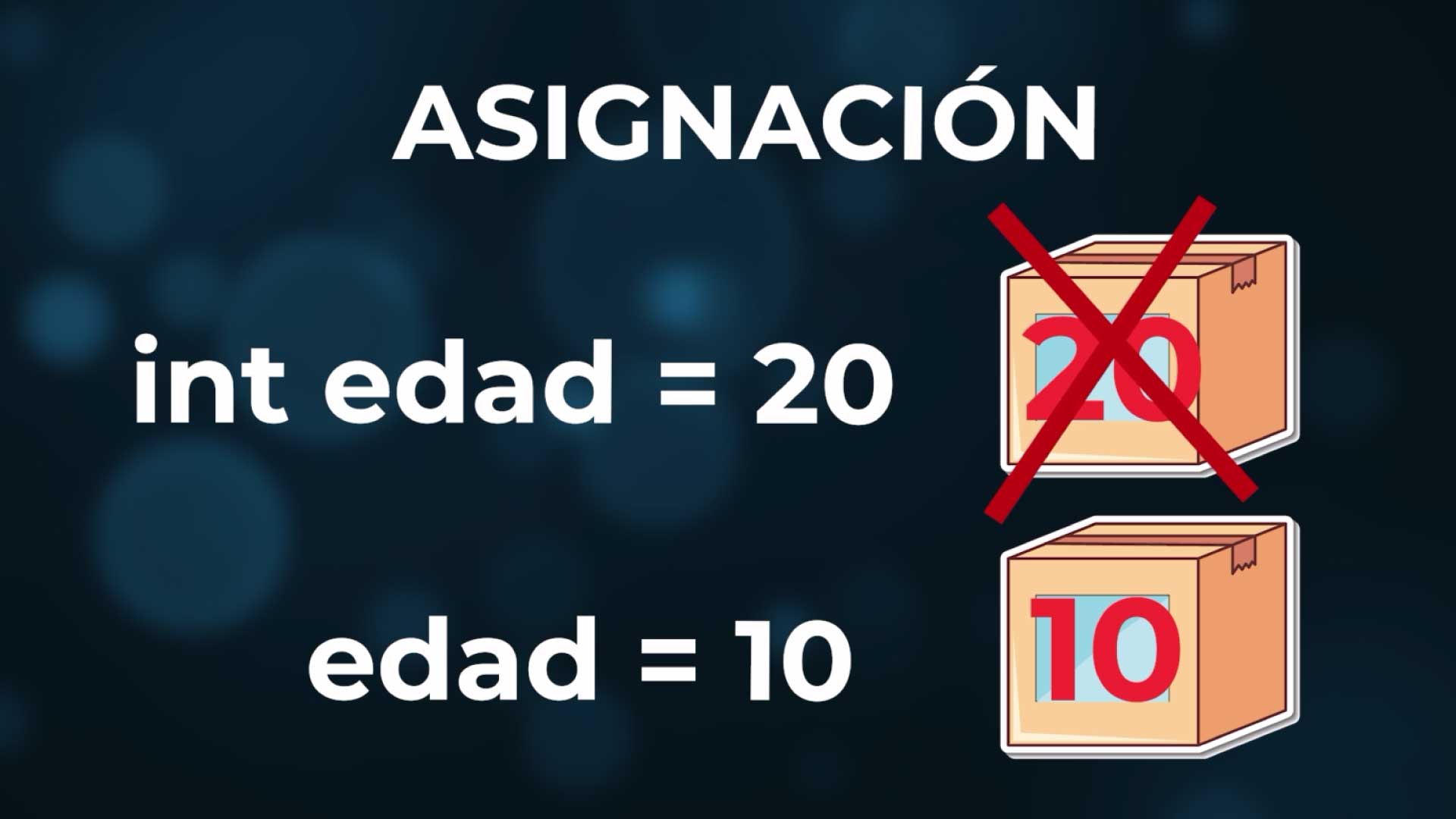
int age = 20; // Initial assignment
age = 10; // Re-assignment (overwrites the previous value)
For example: int age = 20 (to the variable age I assign the value 20). This means that I am saving the value 20 inside my age box. If I now do age = 10, I am overwriting the previous value, and leaving it a new value: the 20 is already lost, now it's worth 10.
And just as there is the assignment operator, there are arithmetic operators, which allow adding, subtracting, multiplying, dividing.
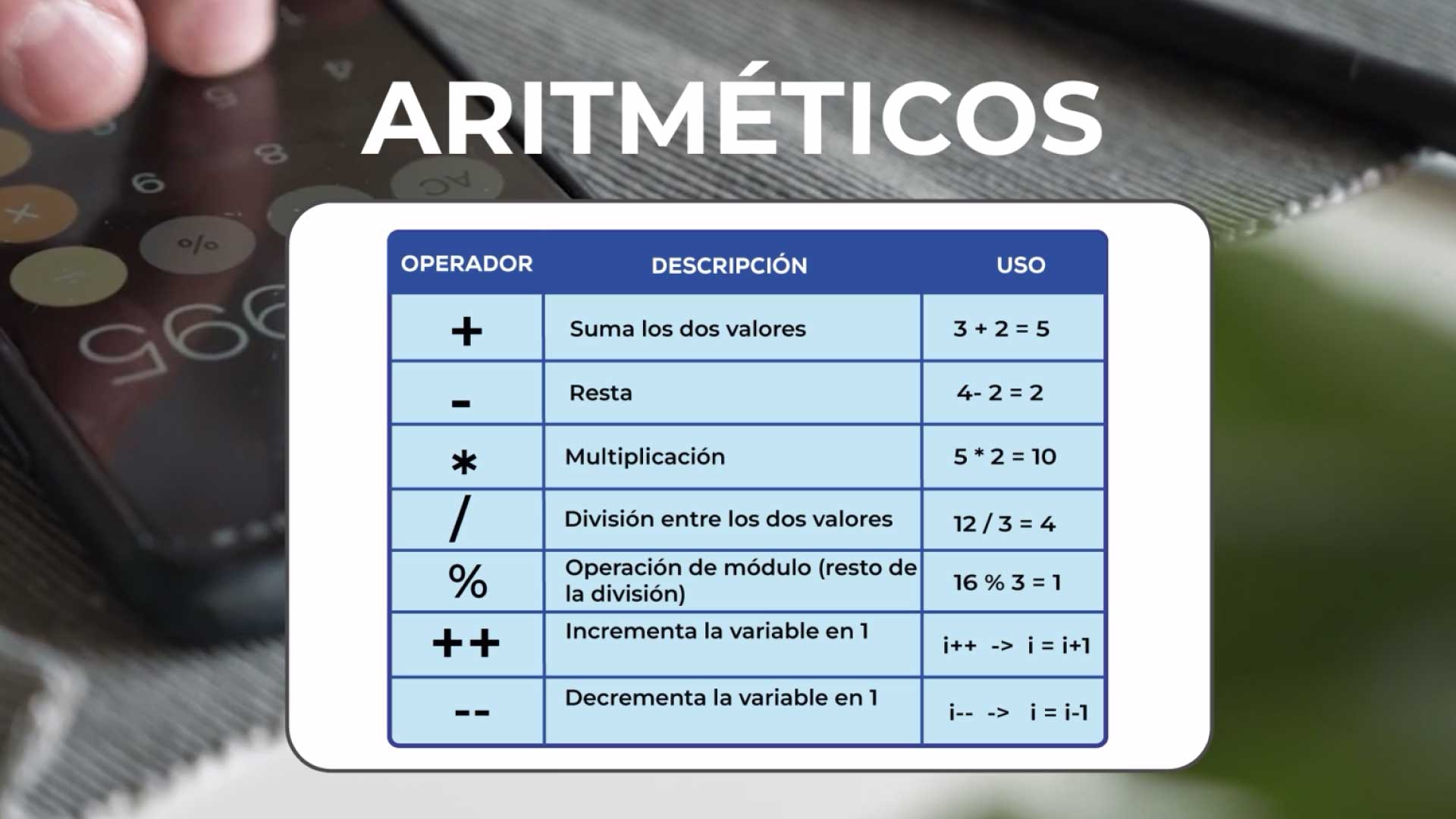
I can add values, I can add variables, I can have two variables, I add them, I save the result in another.
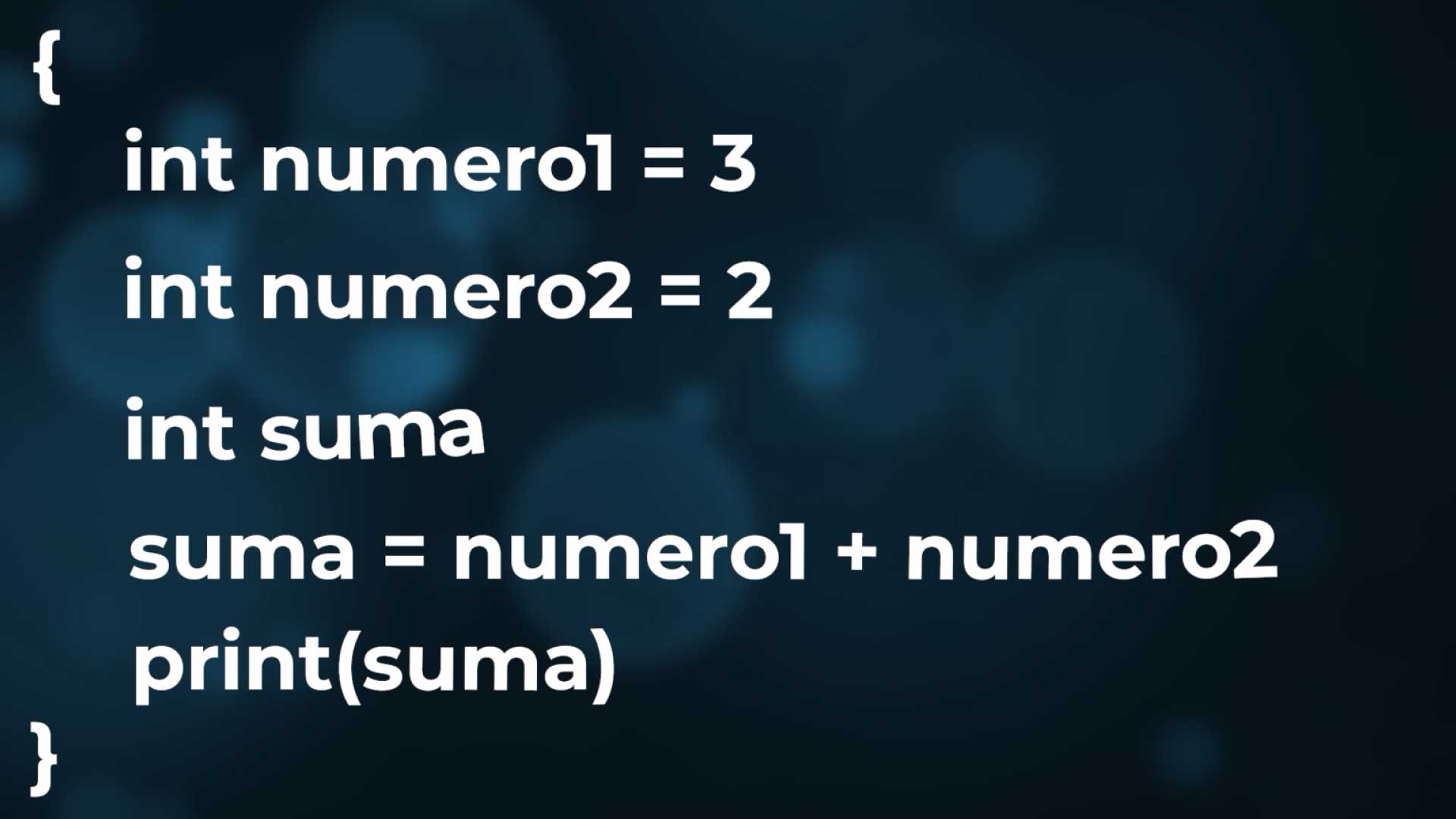
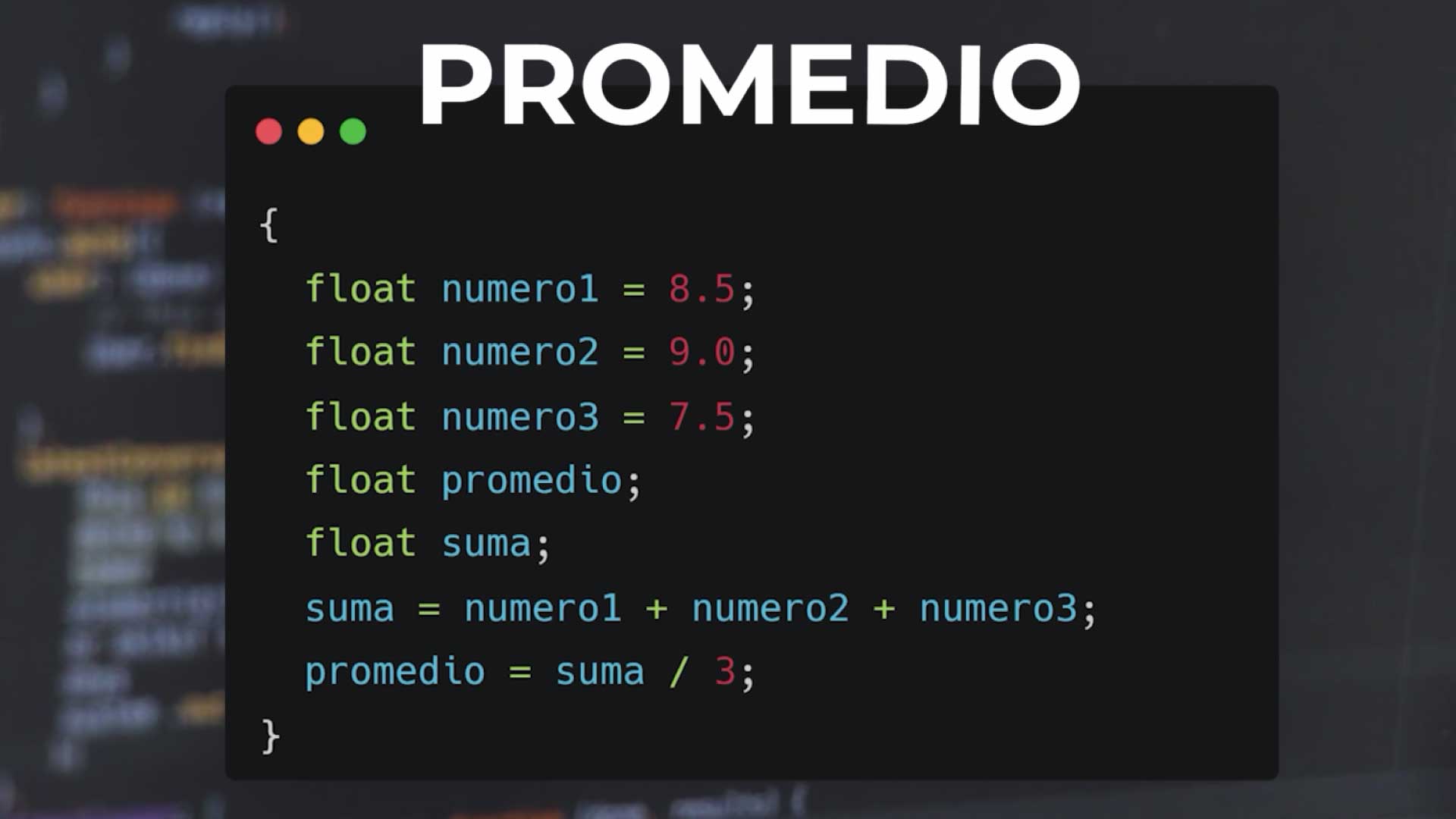
The value of the variable sum, the result, the output, is 5. I can build a simple program to calculate the average between three numbers. I have to declare the input variables number1, number2, number3, to each I assign a value. I have to save the output somewhere, so I'm going to declare a variable to calculate the average. I can even use an intermediate variable to save the sum of the three values: sum.
What we did was assign values to the variables number1, number2 and number3, but as programmers we don't do that, we want the data to be entered by the user, so we must ask them to enter those three values. For this, languages give us primitive functions, which interact with the operating system, with which we can enter data and show them on screen. I will use the read primitive to load a piece of data into a variable and I will use the print primitive to show on screen what I send.
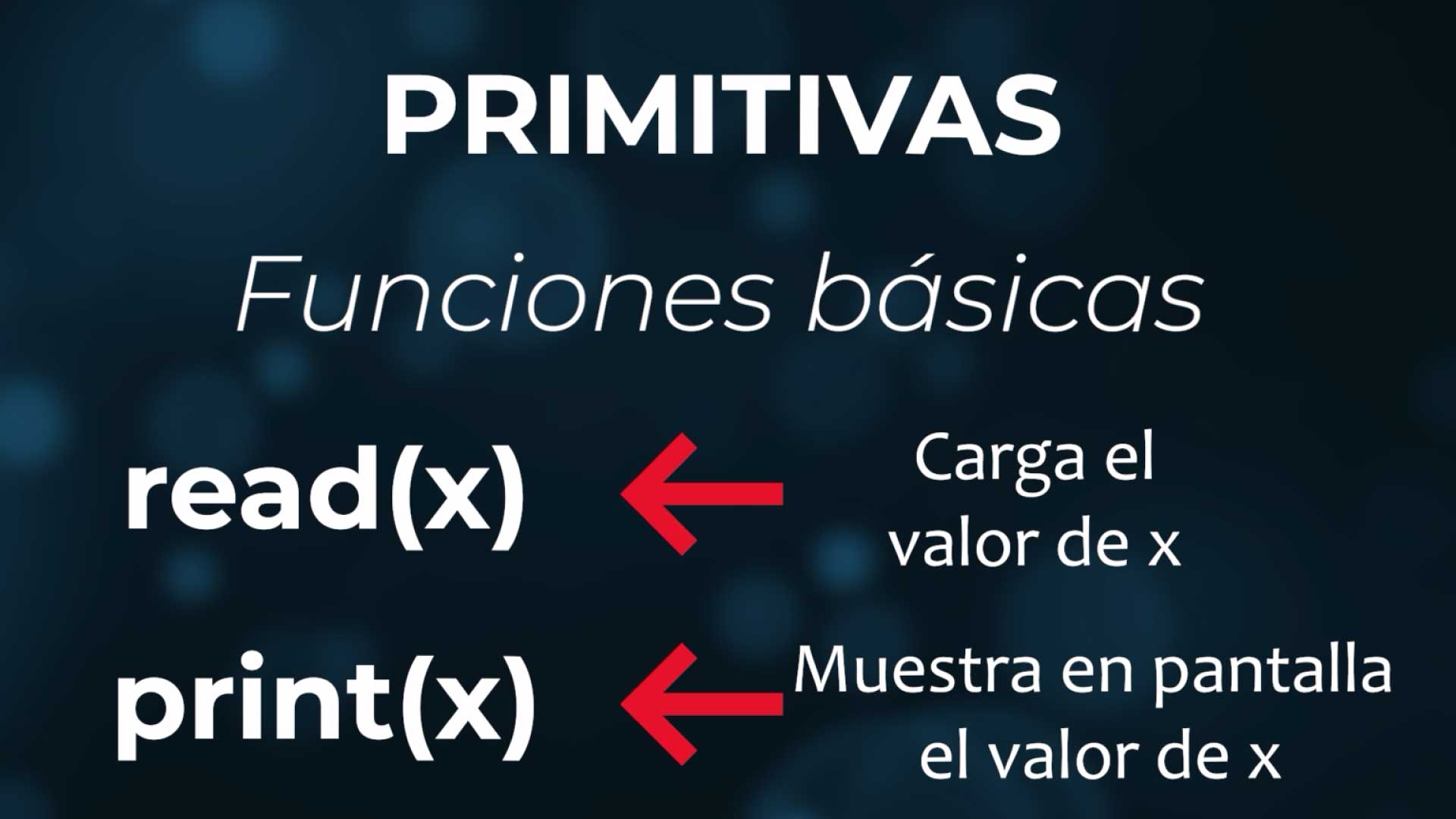
Each language has its own syntax, here we are defining ours: "read" to read, "print" to print. When we use a language we adapt to the syntax of the language, here we are creating a pseudocode (a way of writing code combining natural language with programming language).
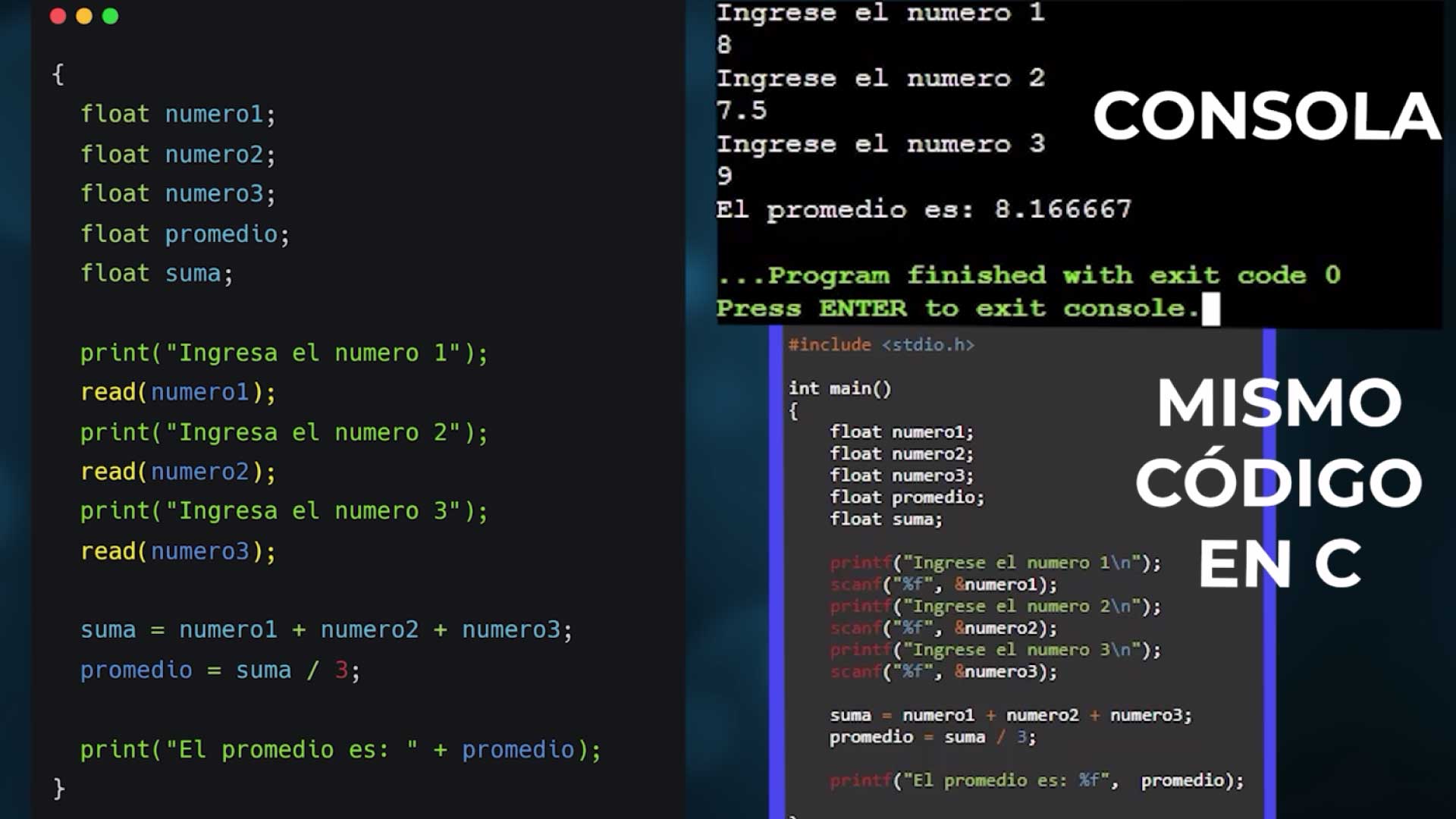
So in this case the algorithm would look like this:
- I print "Enter number 1", I do a read(number1). Repeat for number2 and number3.
- I do the operation, the sum of the 3 numbers and calculate the average by dividing the sum by 3.
- Finally, I print the result, the value of the variable average.
# Control Structures
// Sequential
This example is sequential, it goes line by line, there is no change in the path, it doesn't change the order at any time.
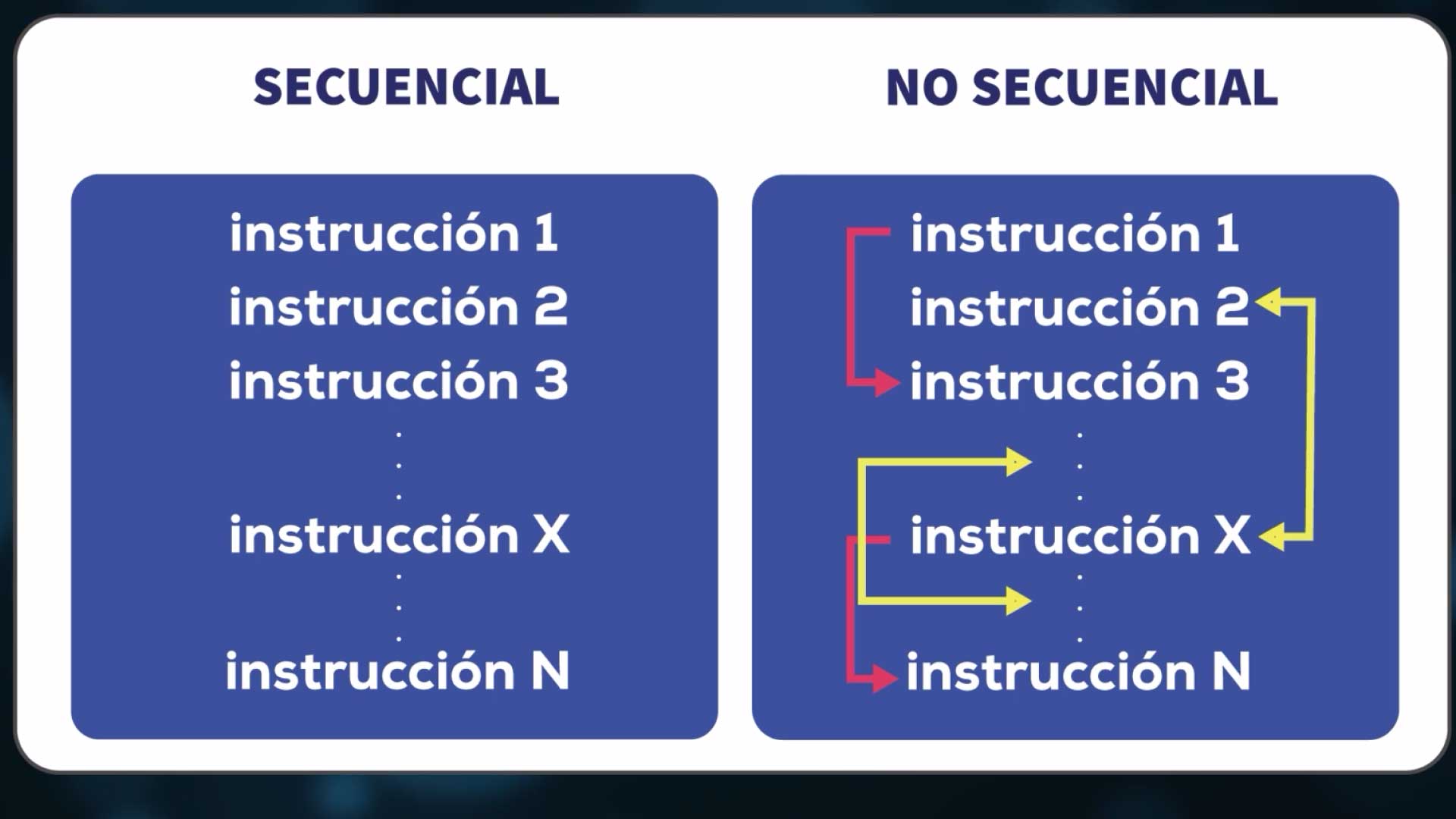
// Conditional
Suppose now that we want to print if the student passed, the student repeats, or the student fails. In a sequential way we can't do it, we have to analyze the grade and based on the value of the grade go through one of these three paths.
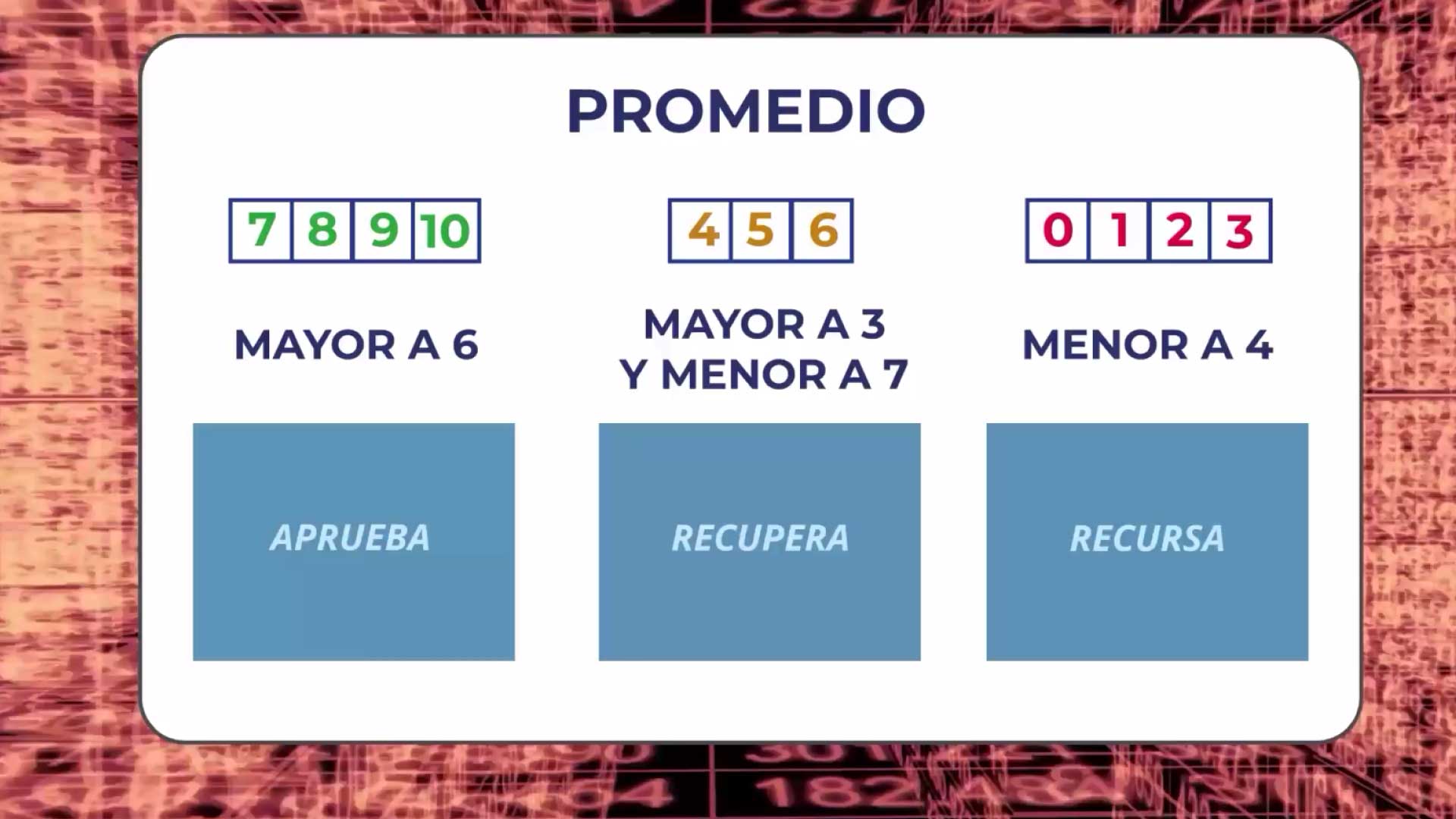
We have to evaluate a condition, if it is true we go one way, if it is false we go another, which can be one or several paths. So what we need here is a conditional structure: the If.

if (condition) {
// Actions if TRUE
} else {
// Actions if FALSE
}
If the condition we put in parentheses is true, actions 1 and 2 are executed, otherwise 3 and 4. But we can also have more than one condition:
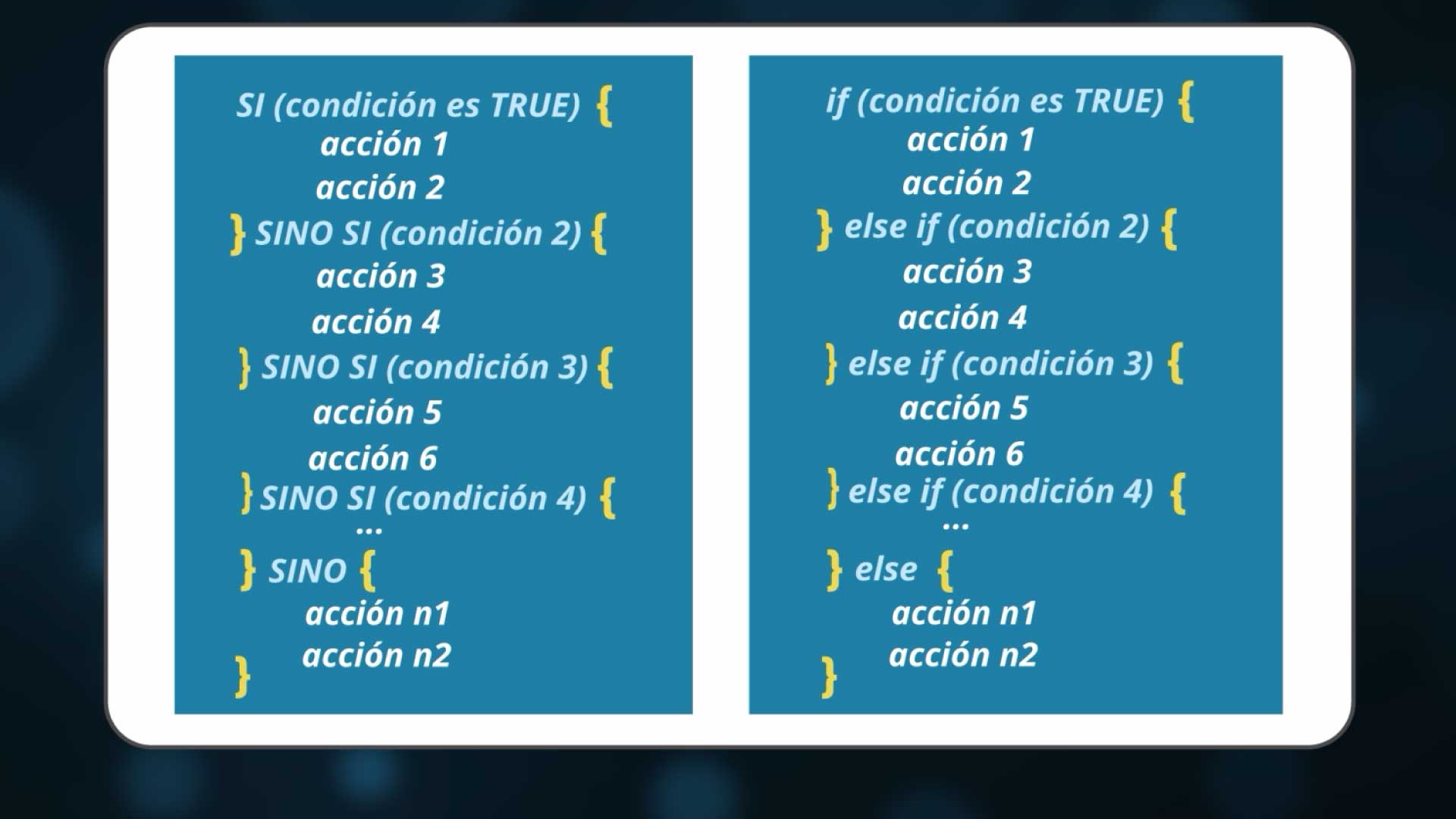
In this case, if condition1 is true, actions action1 and action2 are executed; otherwise, it evaluates the next condition, condition2. If it is true it executes actions action3 and action4, otherwise it evaluates condition3... and so on until the end. If none are met, it enters through the else.
To determine if a condition is true or false (boolean value) we have comparison operators:
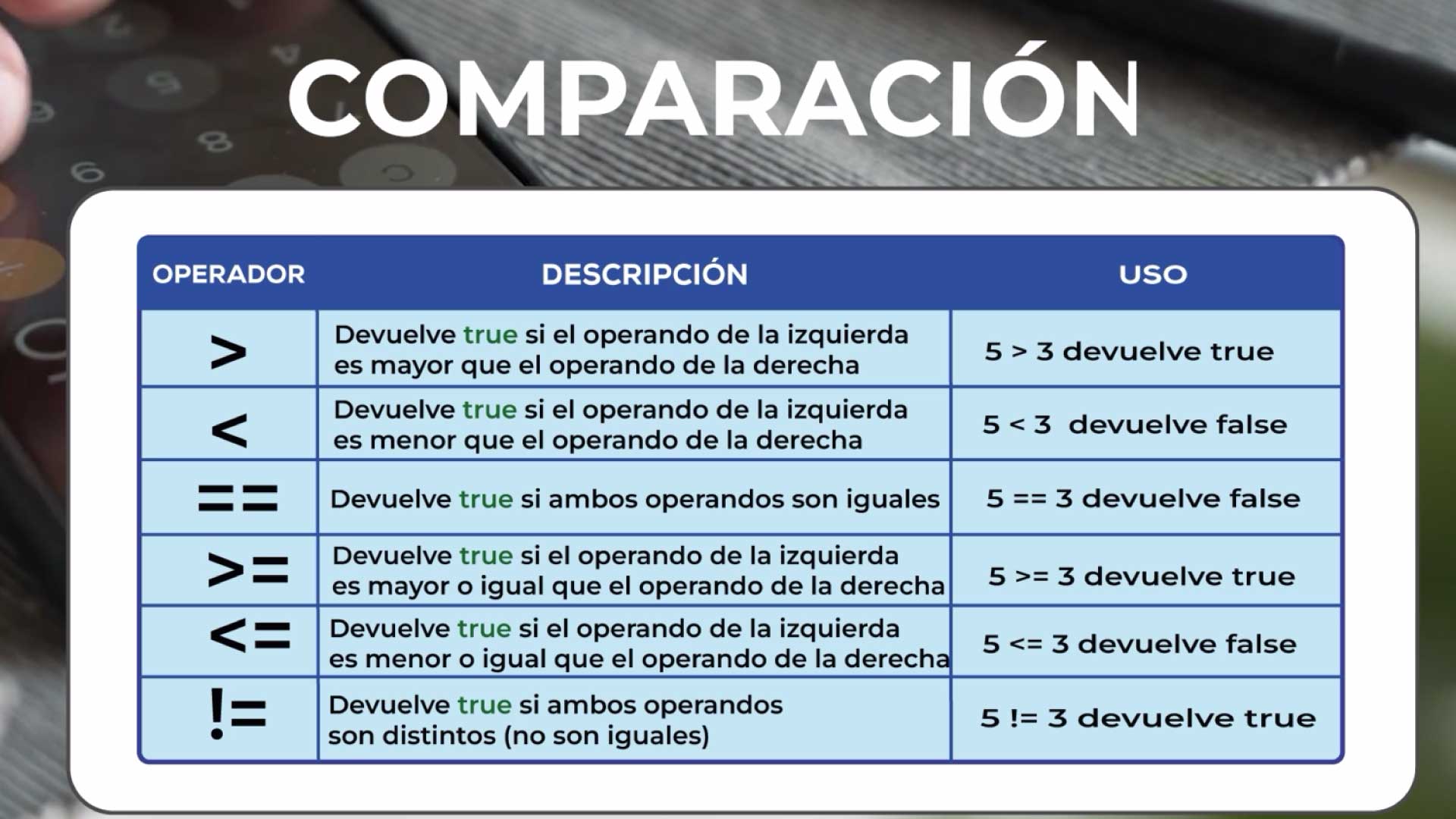
Using these operators, we build the algorithm:
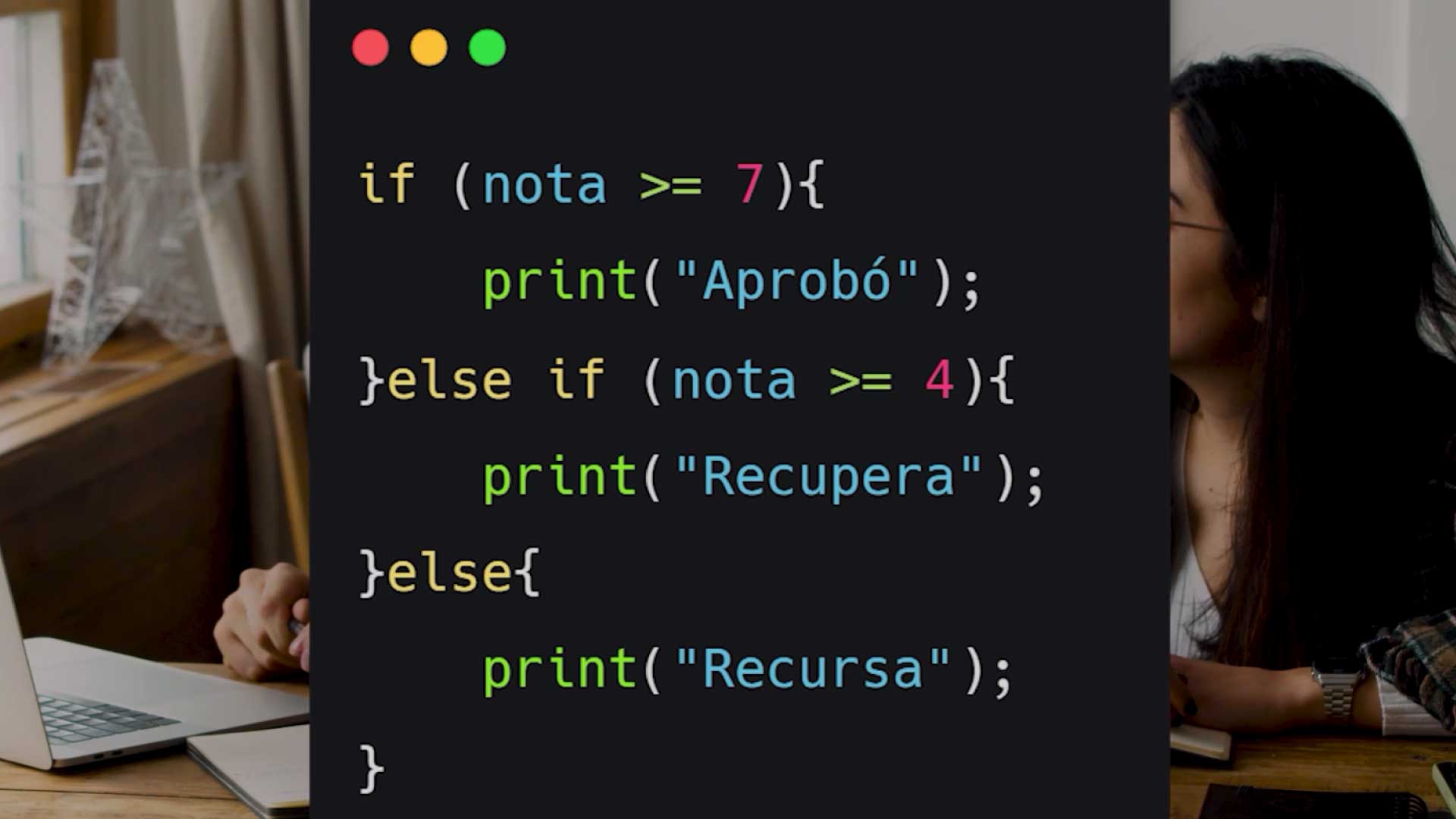
If the grade is greater than or equal to 7 I print that they passed, otherwise if the grade is greater than or equal to 4 I print they repeat. This case implies that the grade will be between 4 and 6 because if not it would have entered through the greater than or equal to 7. Otherwise, in this case, the grade is less than 4, I print that they fail. We were able to add three conditions using the same If block.
Logical operators
What if we want to add more than one condition in the same statement, on the same line. We can do it because we have logical operators: "AND" and "OR" that connect two expressions, each expression with its own truth value (True or False).
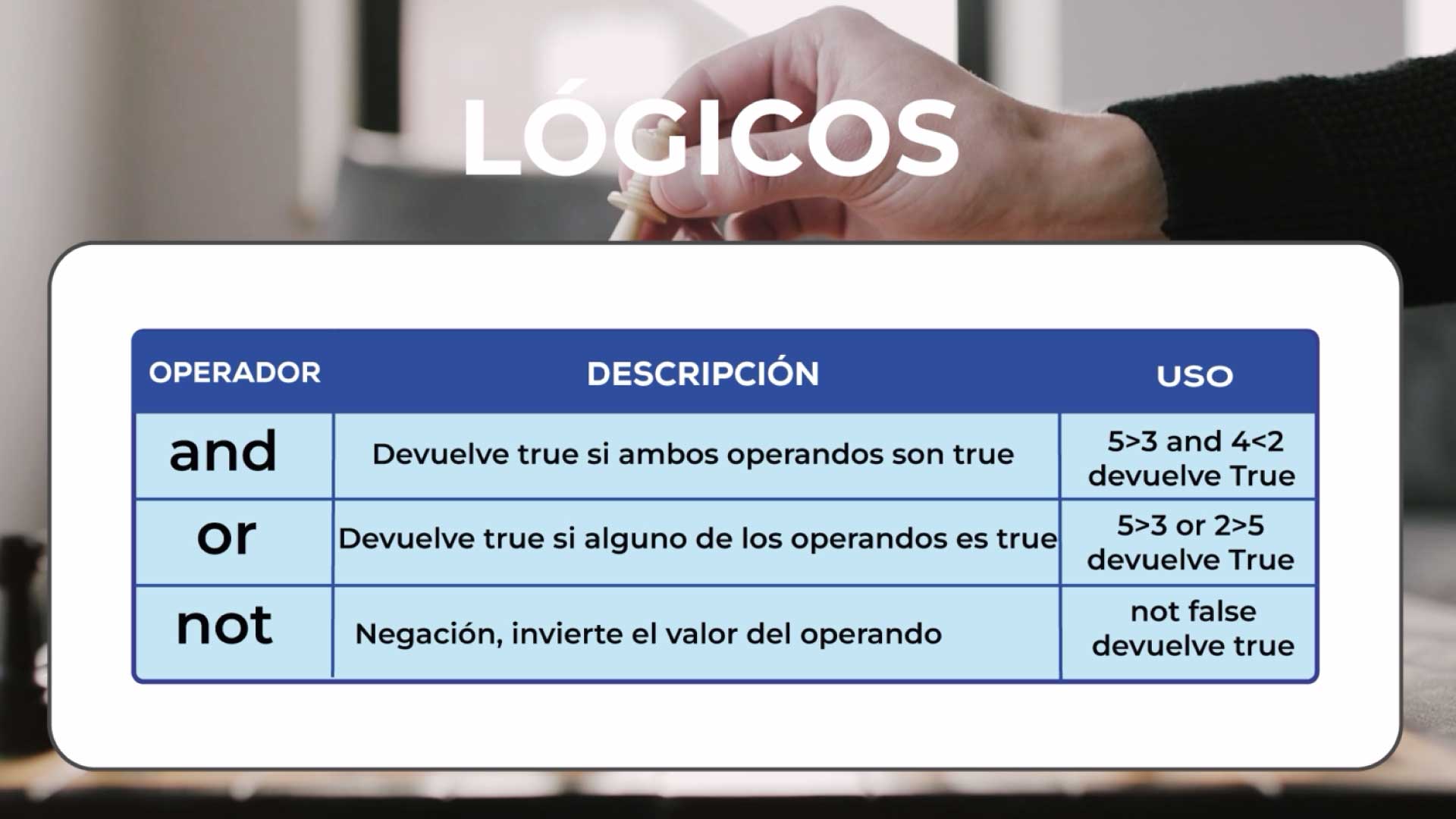
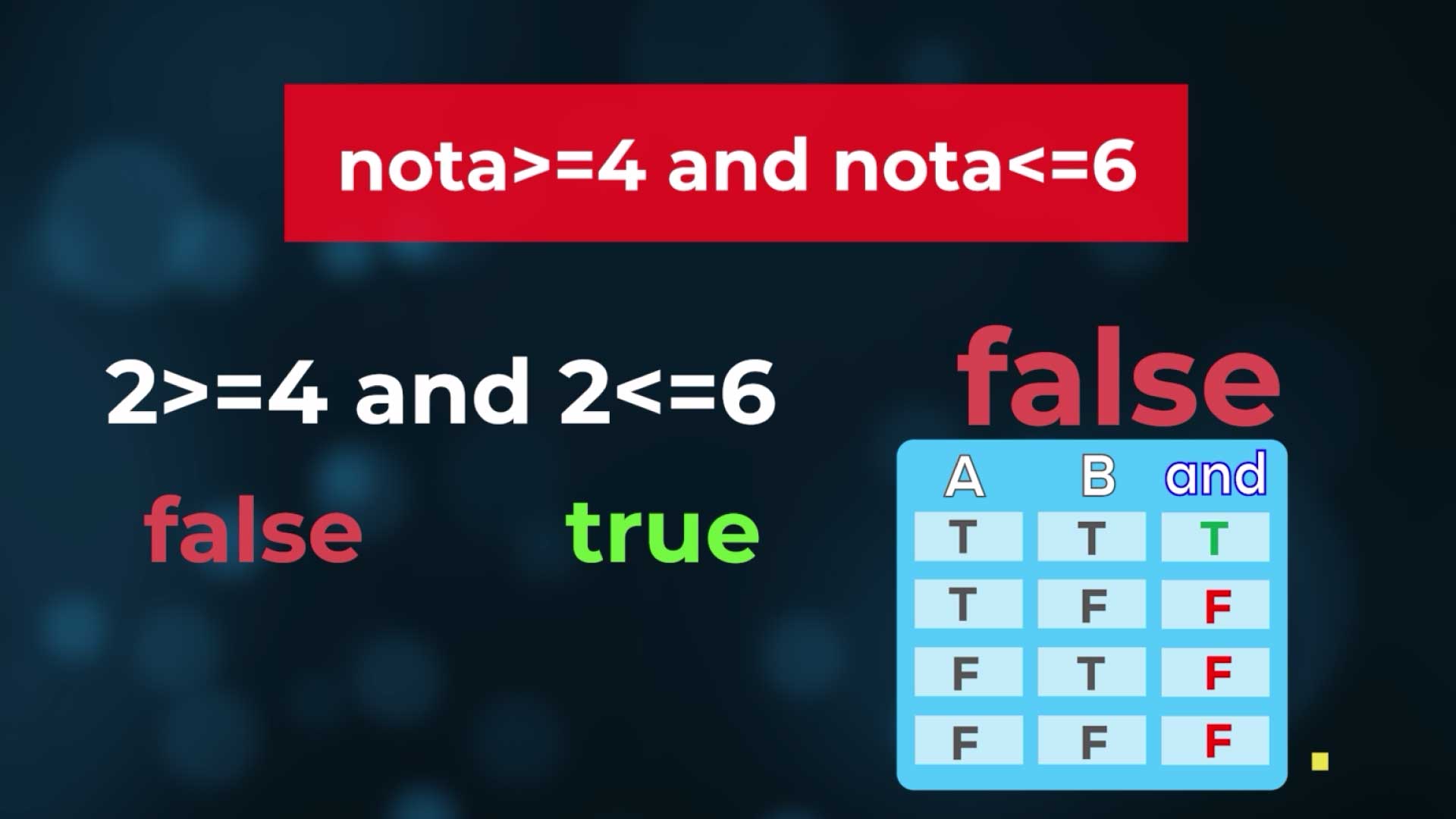
In the case of AND, if both expressions are True, the result is True. In any other case it is False.
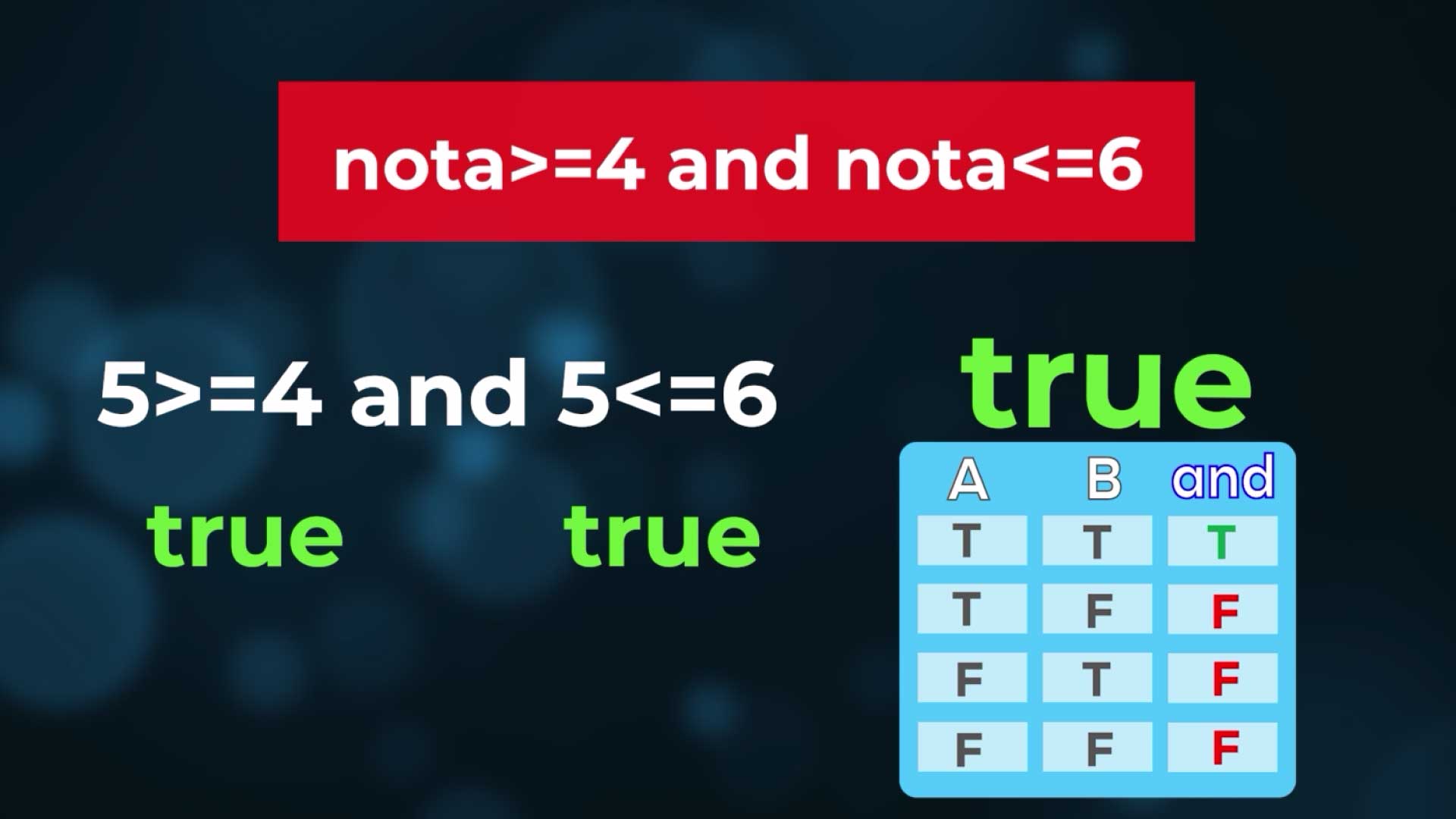
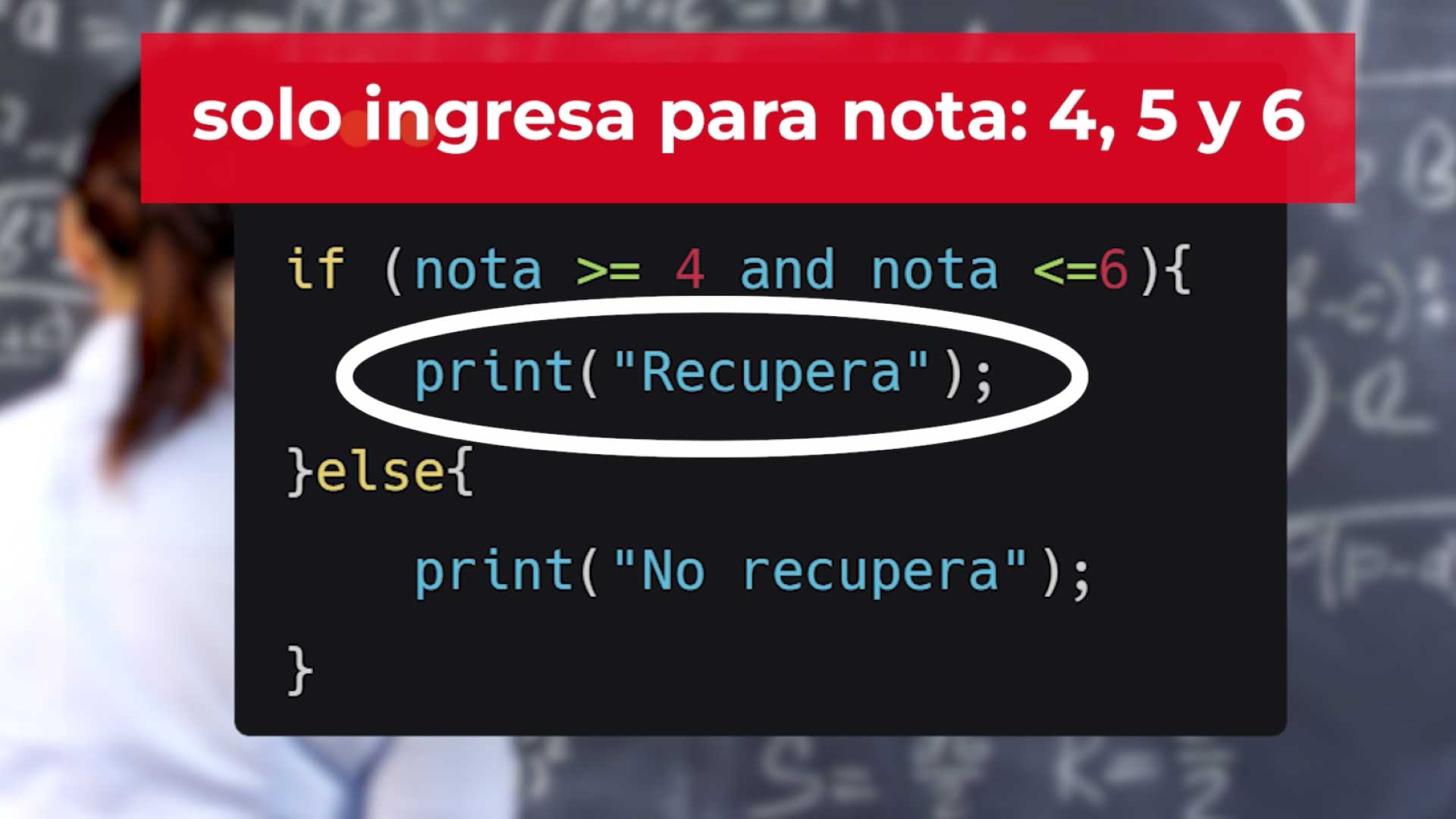
If we apply it to an if, to look for grades between 4 and 6:
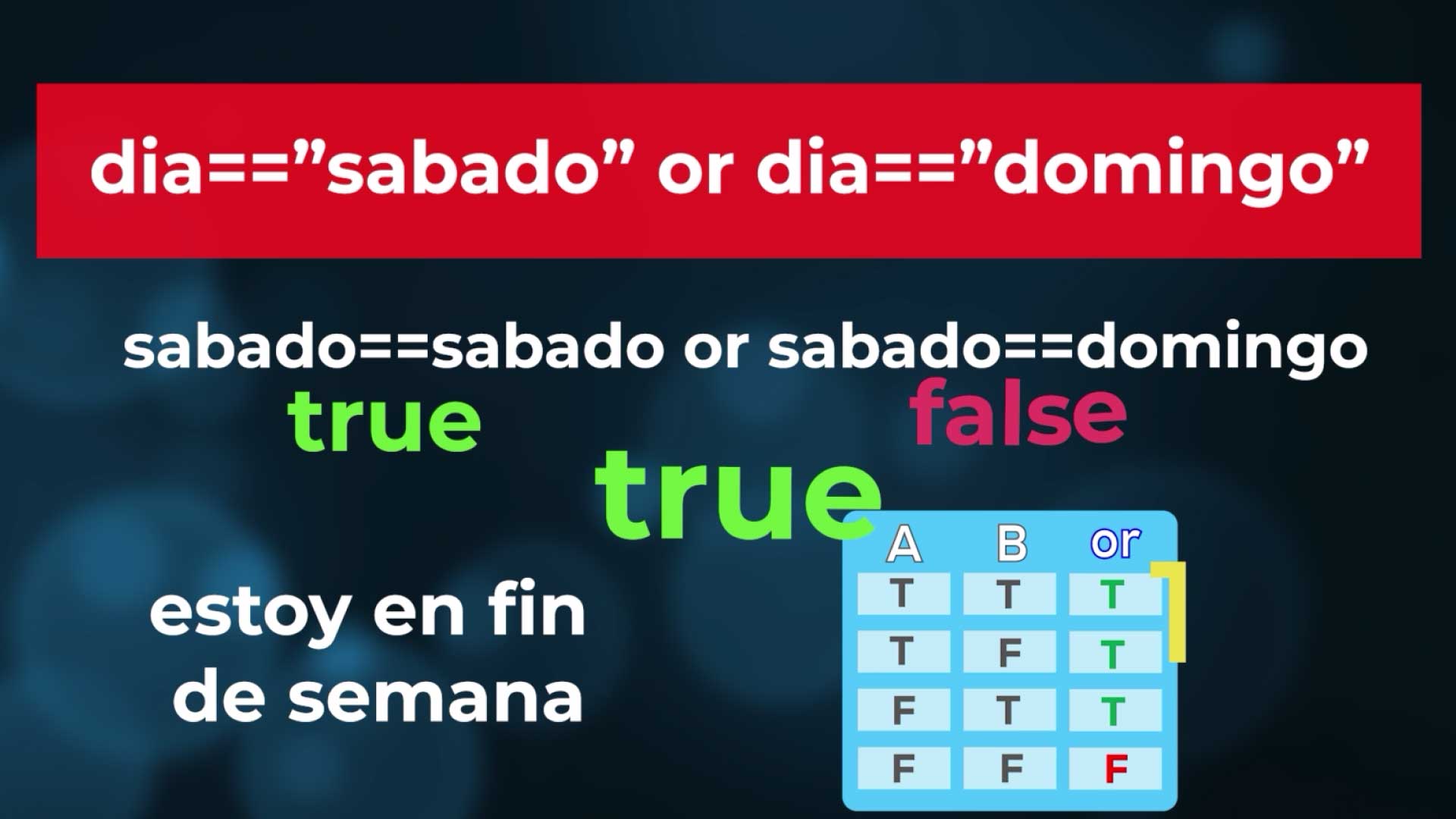
In the case of OR, if both expressions are False, the result is False. In every other case it is True.
If we apply it to an if to know if I am on a weekend:
// Loops
Loops are structures that allow us to repeat the execution of one or several actions.
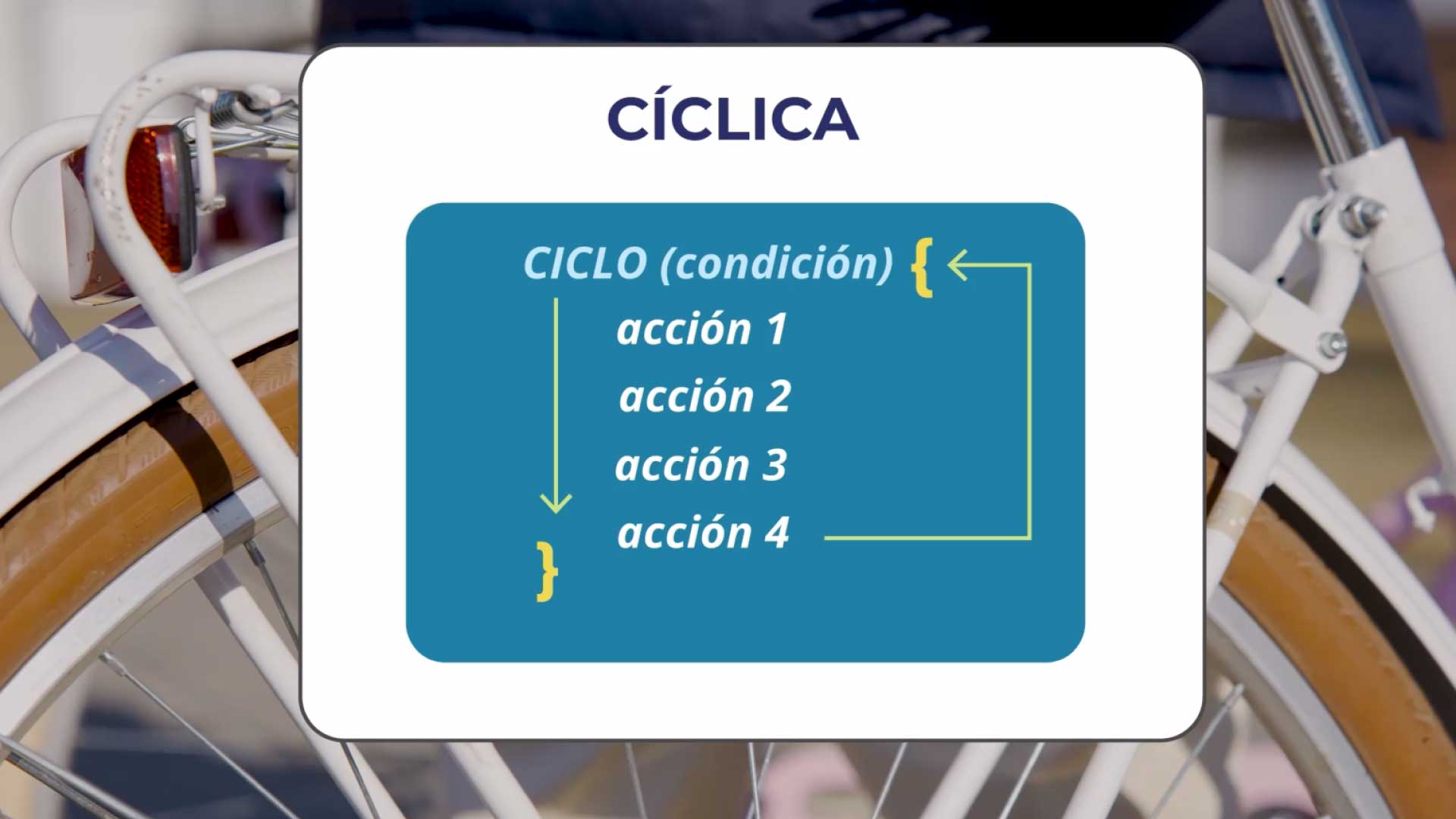
Why do we need to repeat?
For example, we can ask the user to enter the data of several employees, or also to traverse a series of elements. It is one of the fundamental structures, one of the most difficult to understand, but it is used all the time in programming.
Considerations for use
We must think about what we have to repeat, what are the instructions that we must repeat.
I can ask the user to enter numbers and add those numbers, accumulating the values they enter.
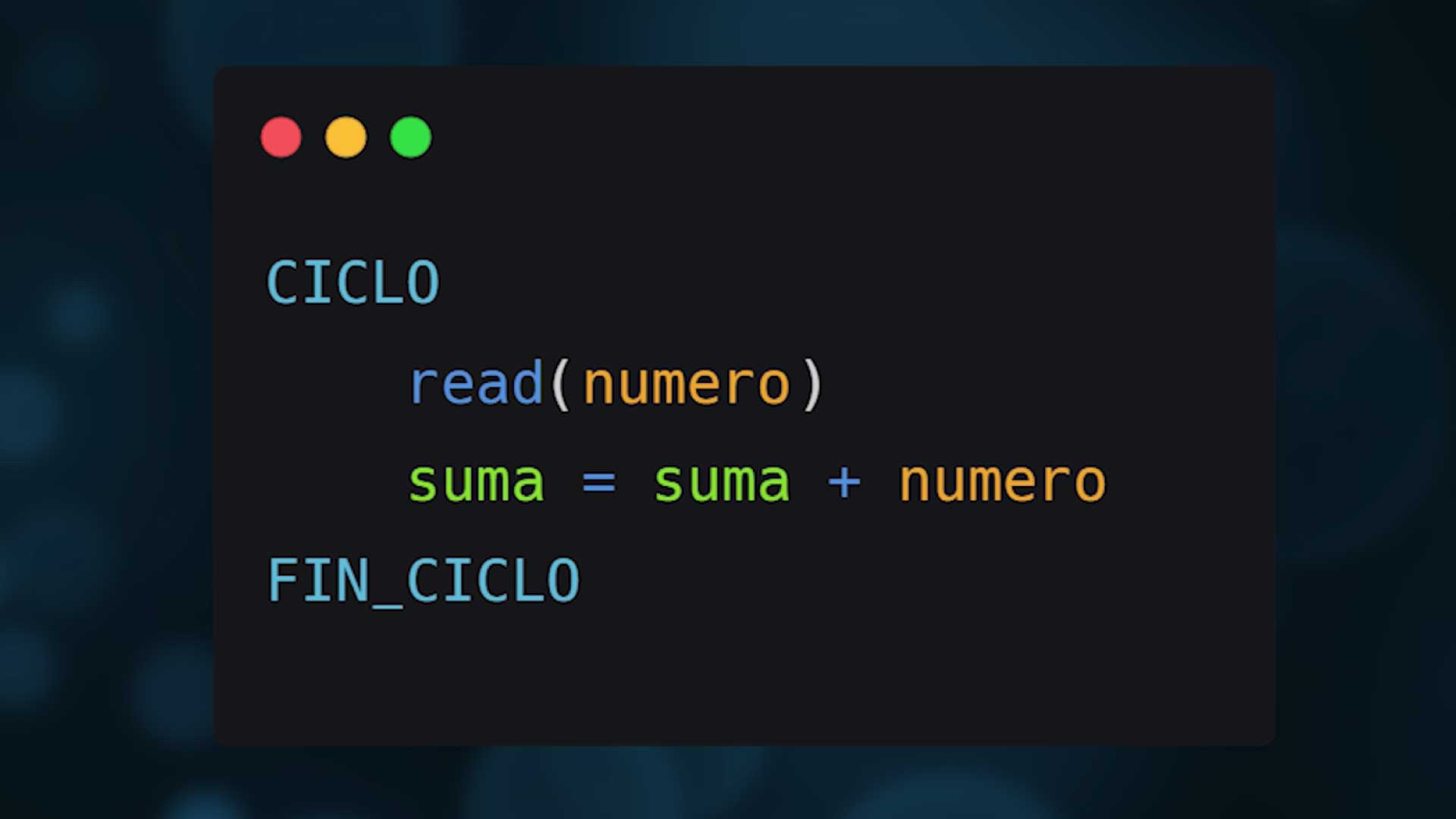
If I put these two instructions read (number) and add (number) and put it inside a loop without control, it will repeat forever. So the next thing I must consider is how many times it has to repeat. And for this we have 3 types of loops:
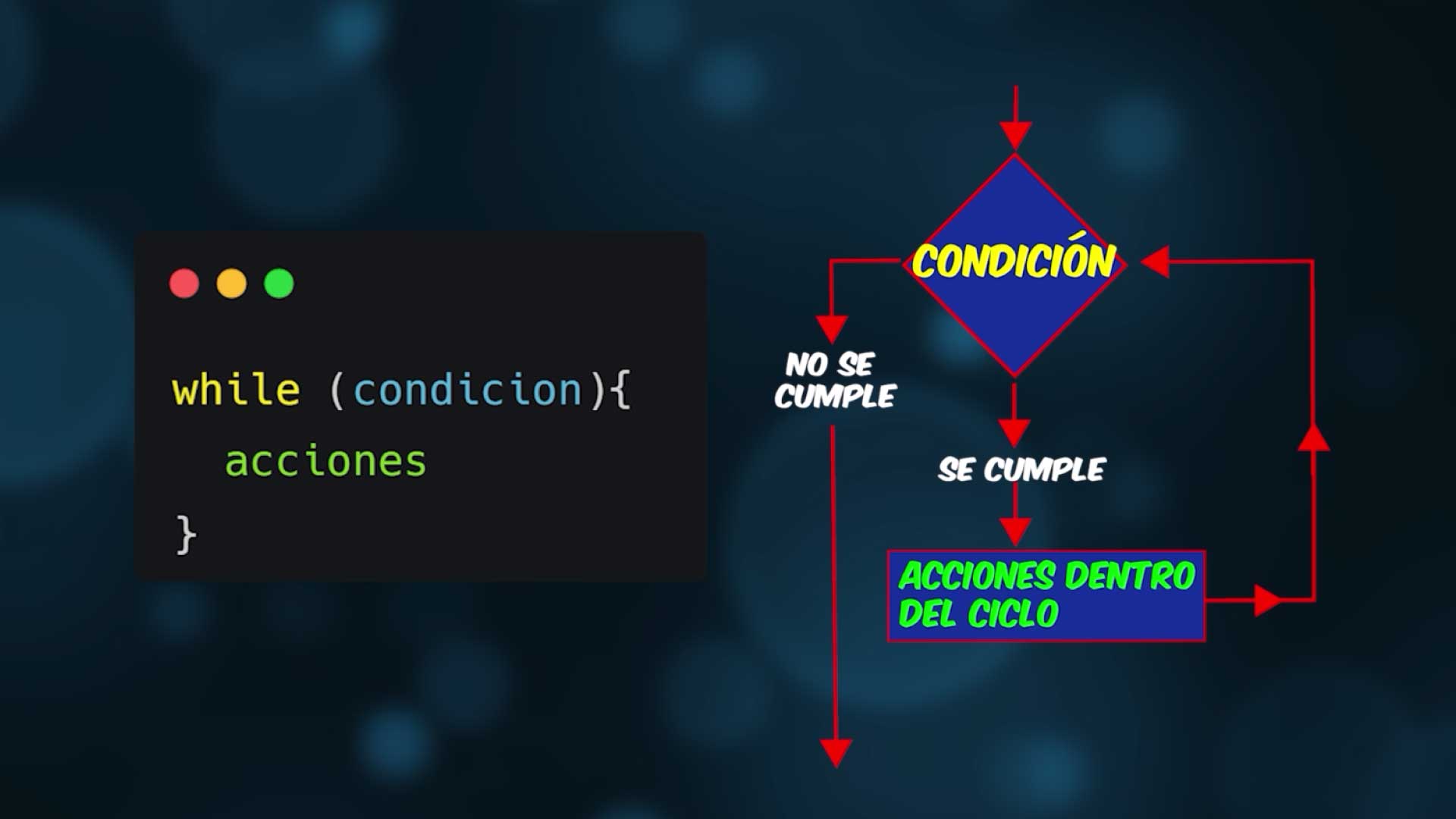
WHILE
It depends on a condition: while the condition is met, the loop will repeat. The condition is analyzed: if it is met, it enters. And when it finishes executing the actions inside, it evaluates again. It is important that values change inside so that an infinite loop is not generated.
The example with a while could look like this: We read the number, if it is greater than zero we enter the loop, we add it (initializing sum to zero), and we read number again to change the value of the variable that controls the condition.
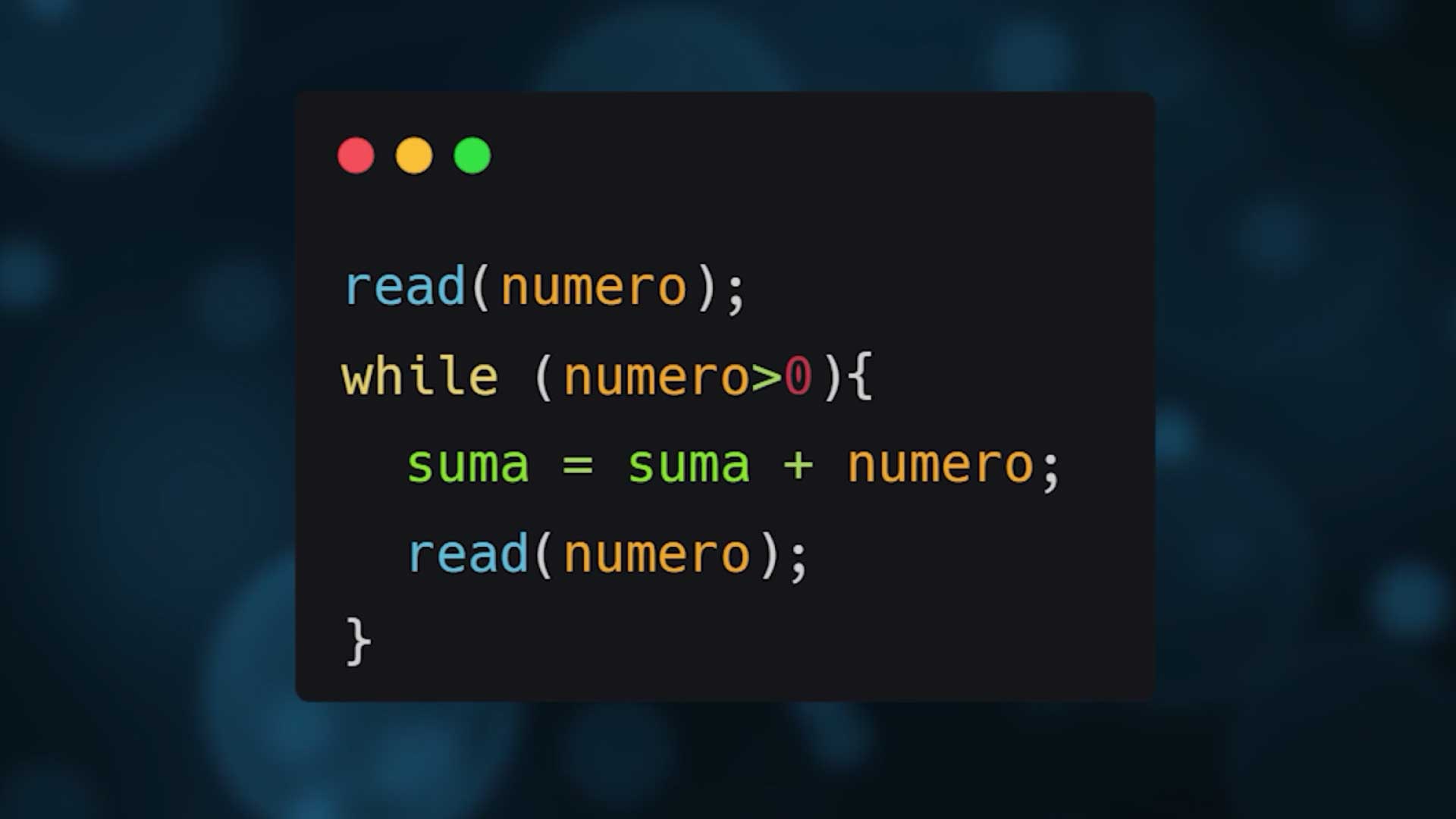
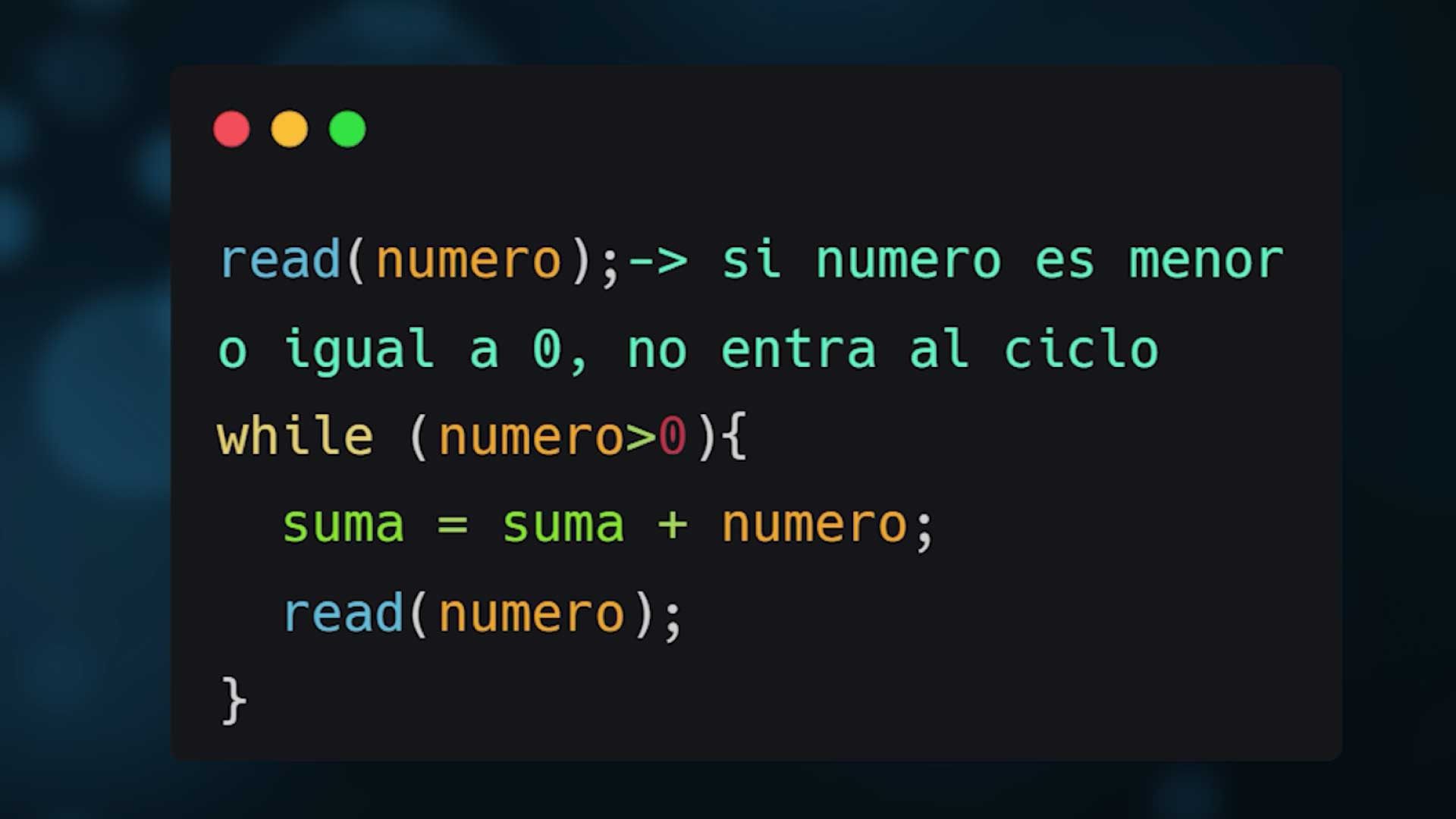
Let's notice something... at the beginning we read the variable number. If the entered value is less than or equal to zero, it doesn't enter the loop, so this loop may never execute.
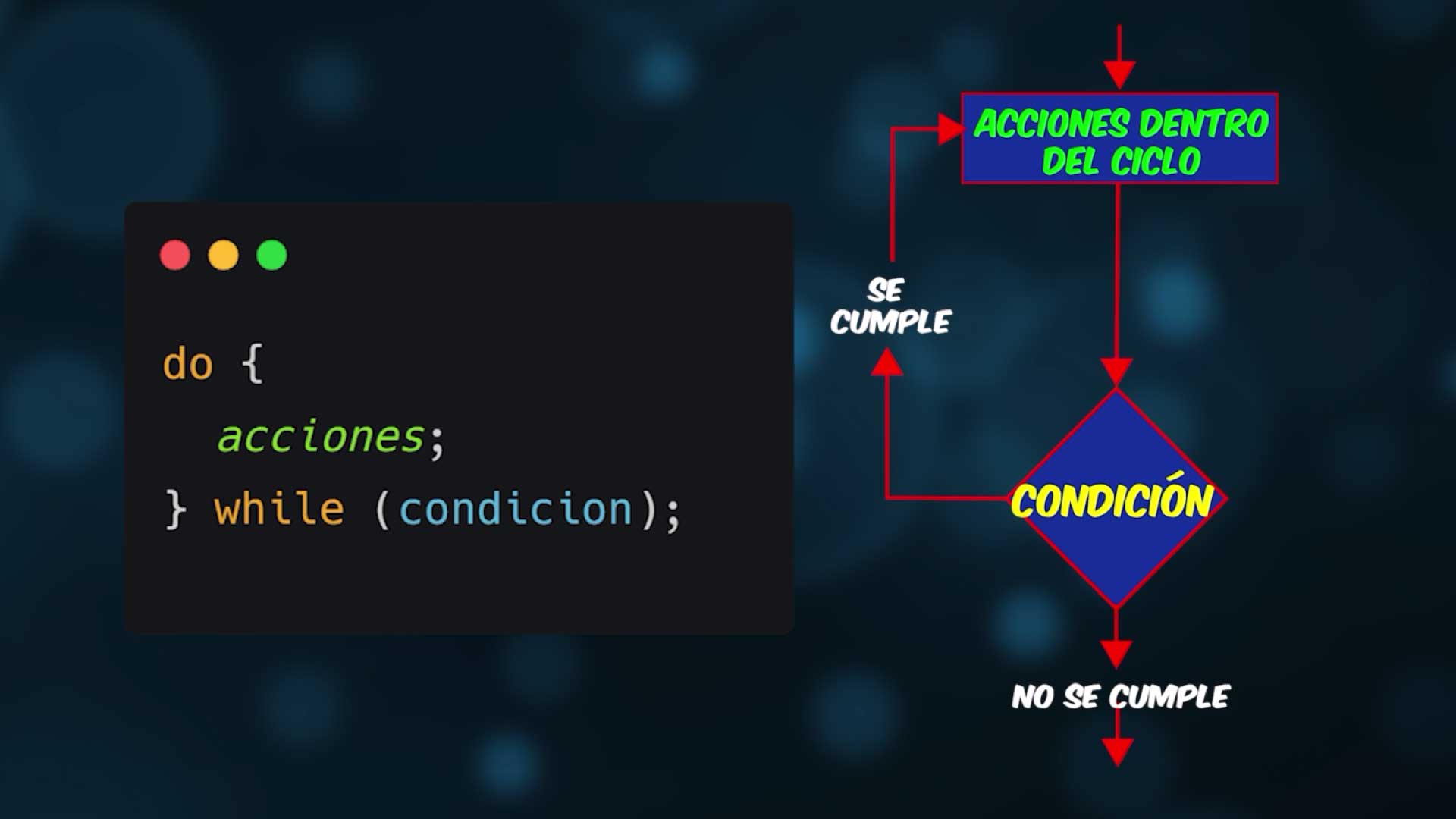
DO/WHILE
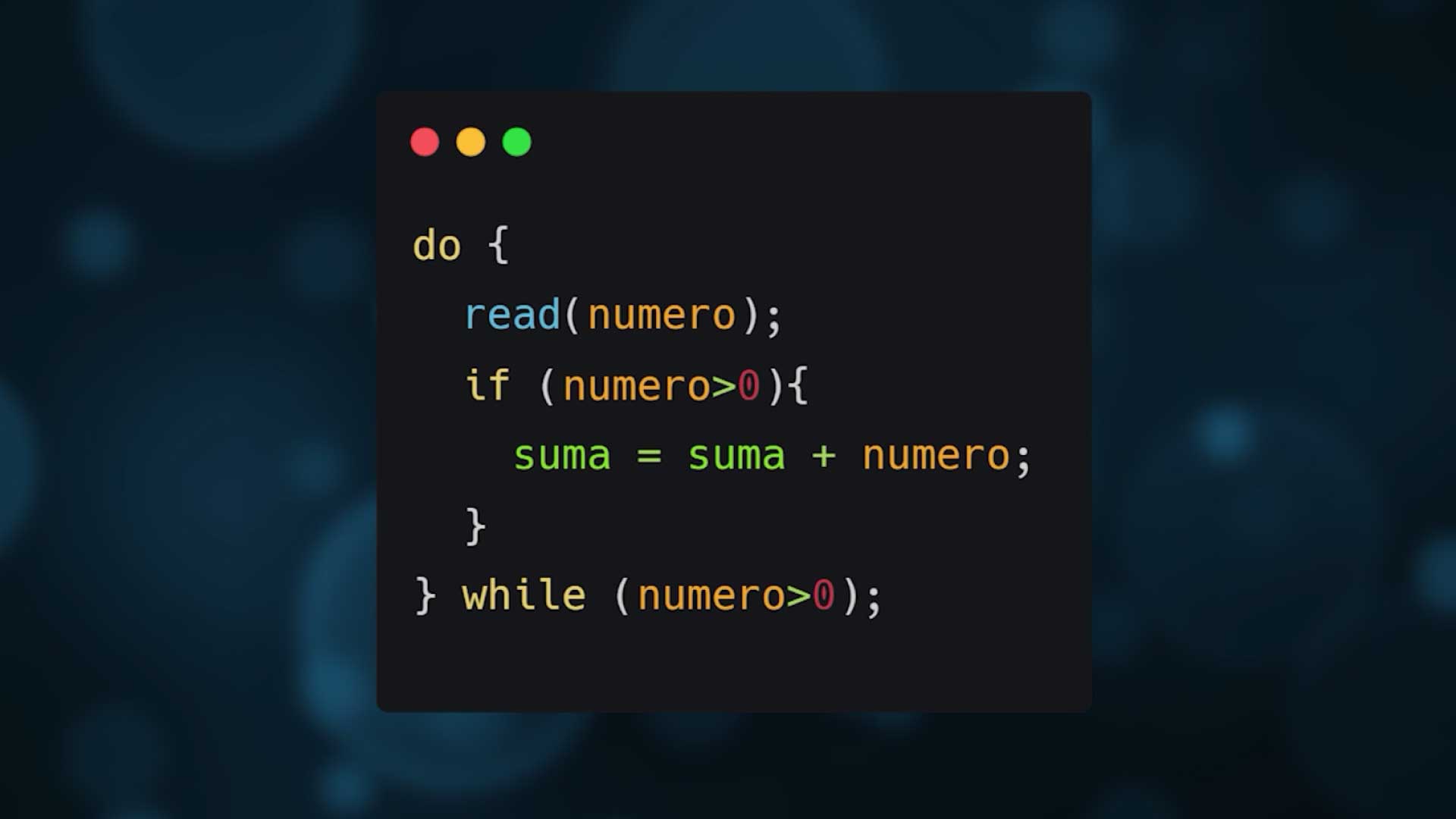
If we want it to execute at least once. First it does, then it asks. First it enters the loop and executes the actions, when it finishes it evaluates the condition.
For the example: I read number, I control that number is greater than zero to add, and I add the condition at the end.
FOR
It's used when we know the exact number of times it should repeat. It has a variable that acts as a counter.
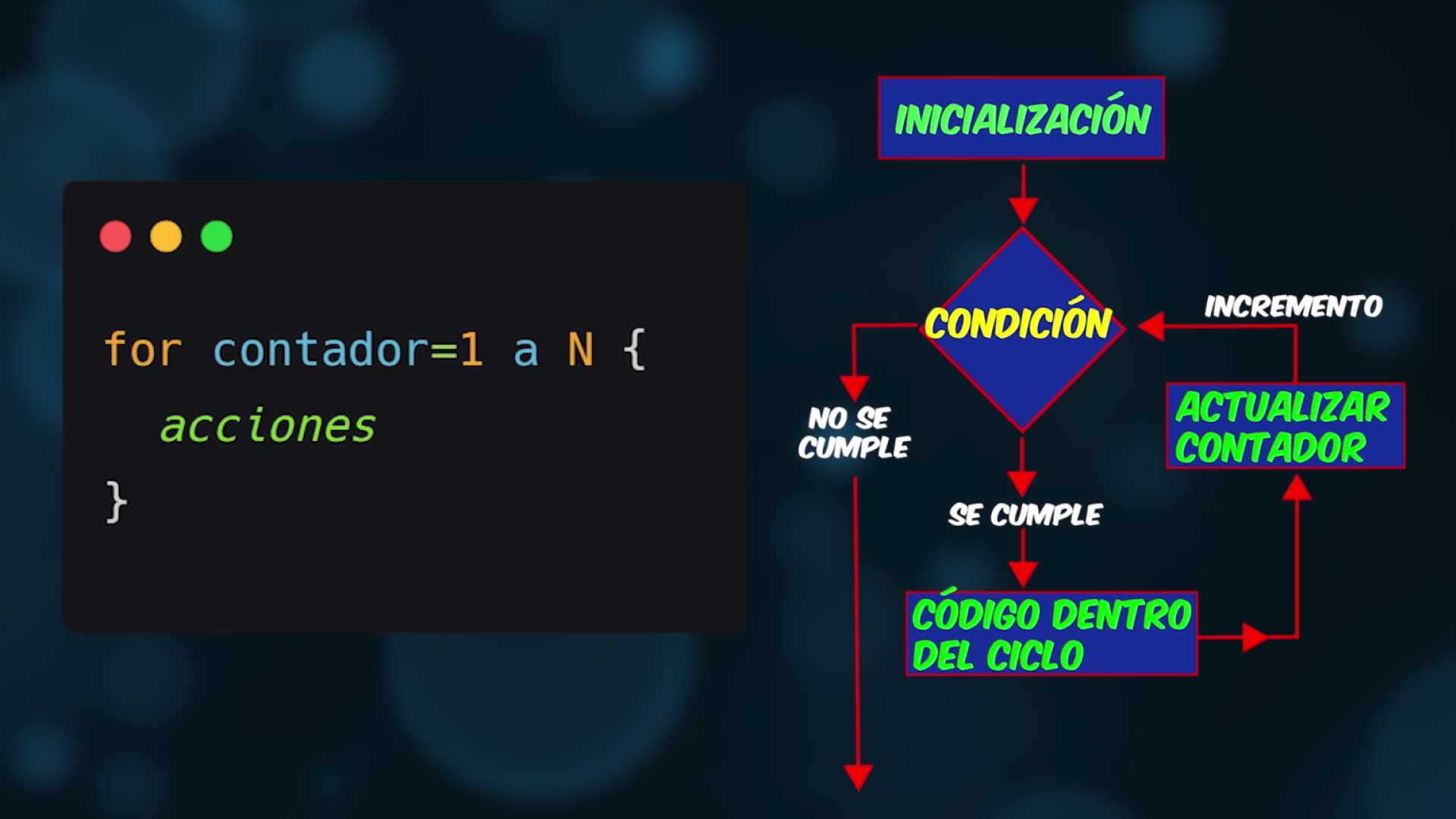
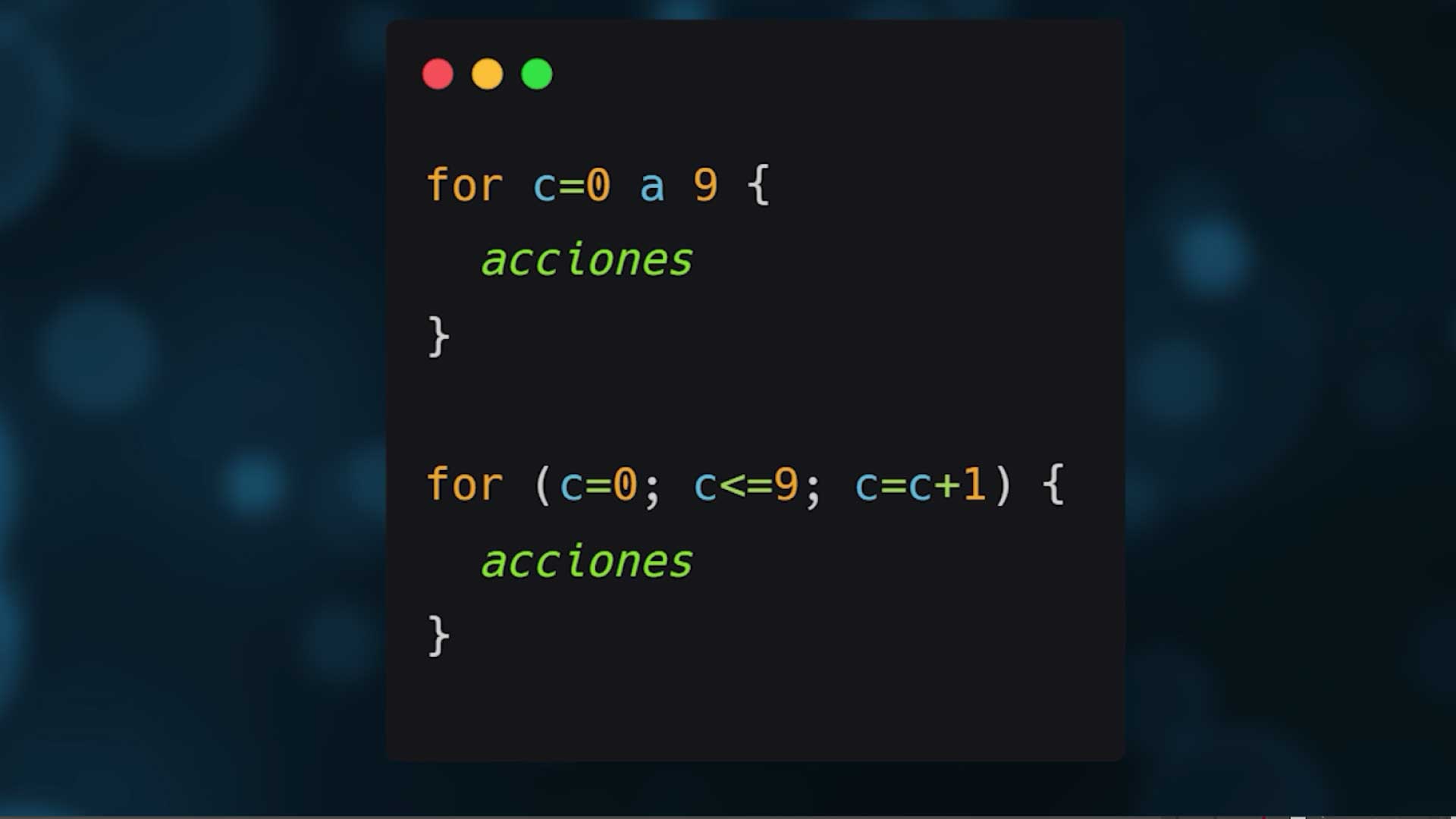
For example, if we enter 10 numbers, we could use a for from 0 to 9. In the second case we initialize the variable with 0, execute while it's less than or equal to 9, and increment automatically each time it repeats.
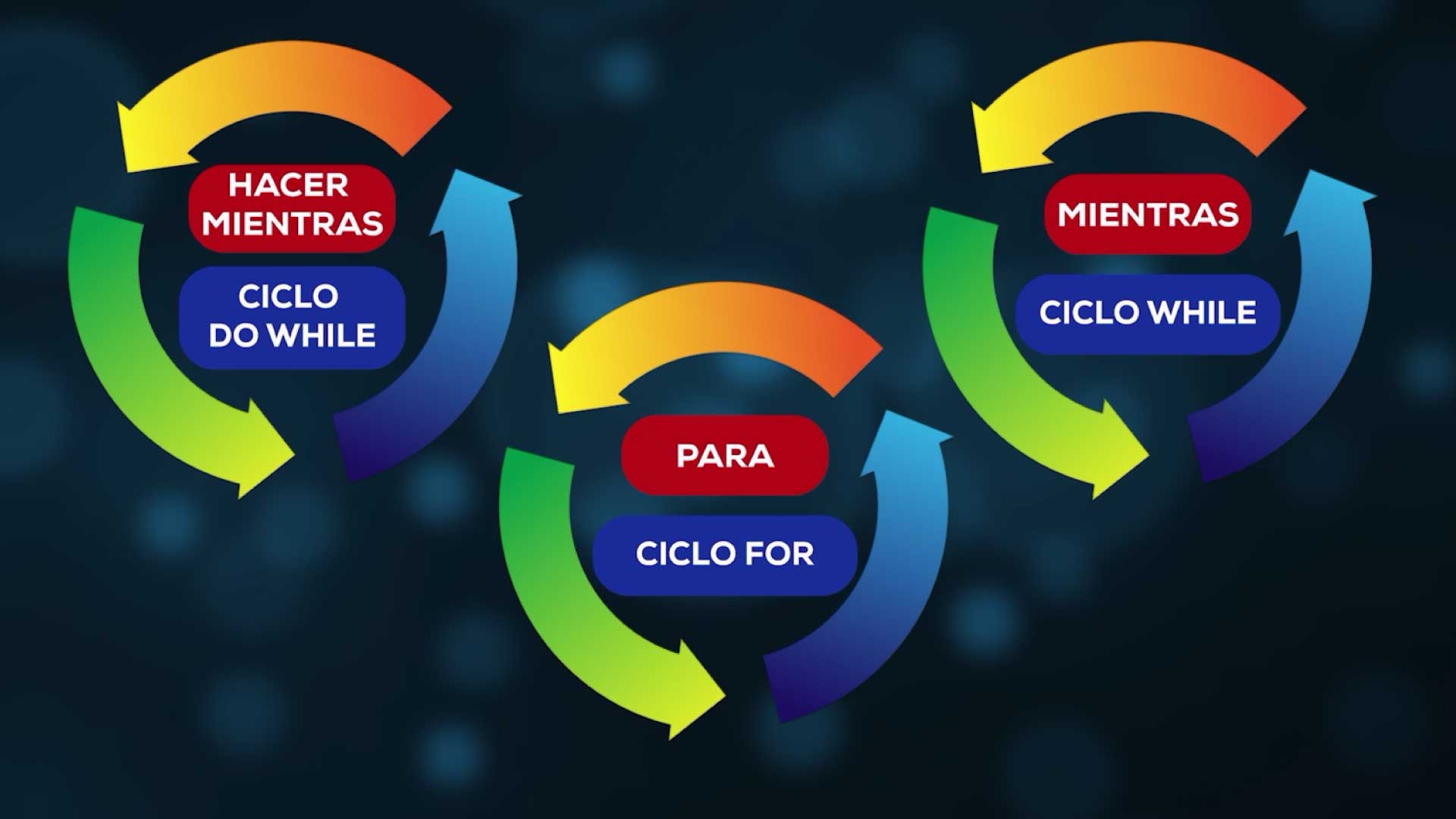
The important thing is that to repeat we have these three instructions. We can use all three for every loop, but according to what we have to do, one will adapt better than another.
Breaking loops
We also have statements to change the sequence of loops: continue to skip to the next iteration, and break to exit the loop. They are not recommended because they break the natural flow, but they are used.
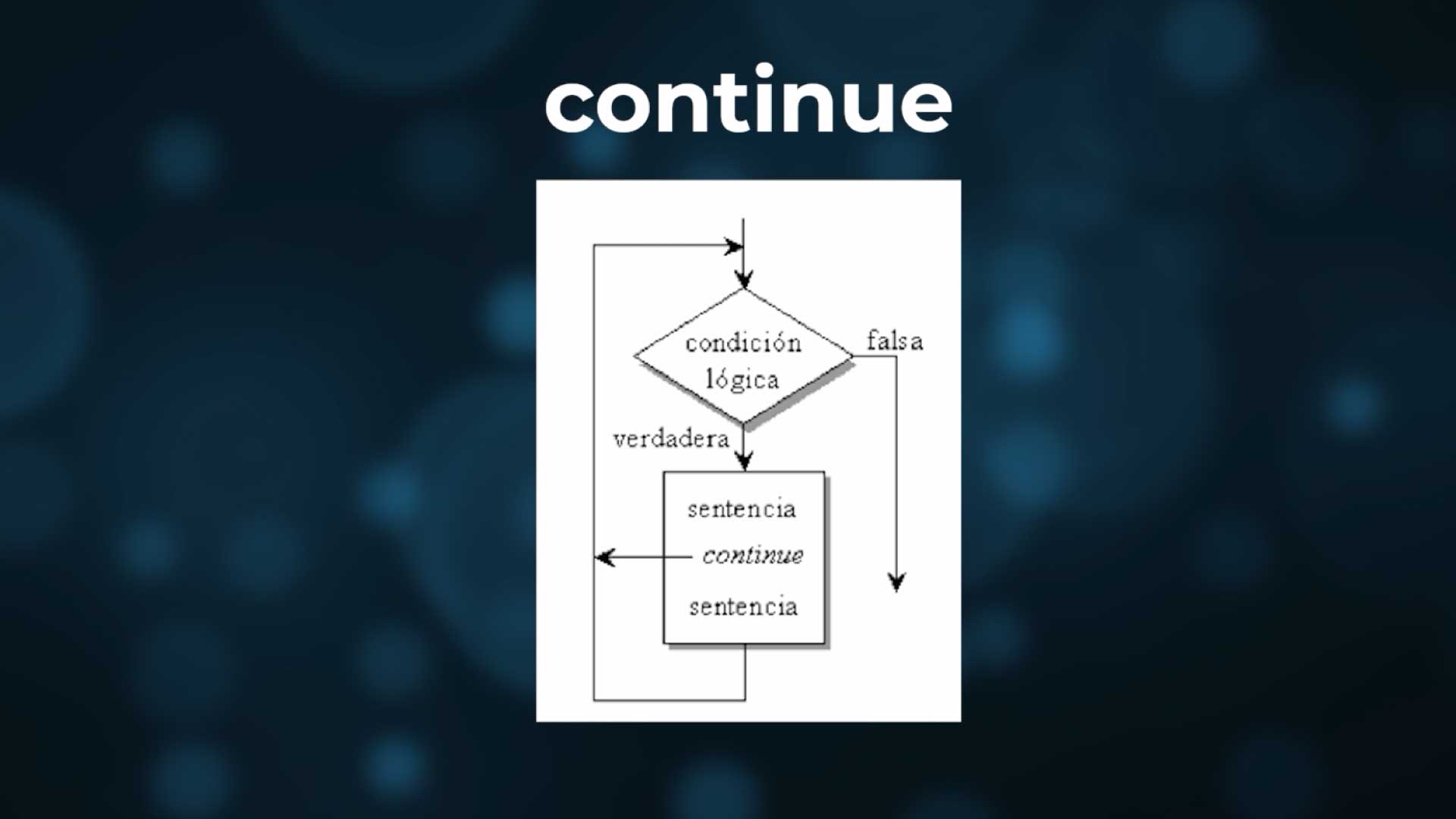
Continue
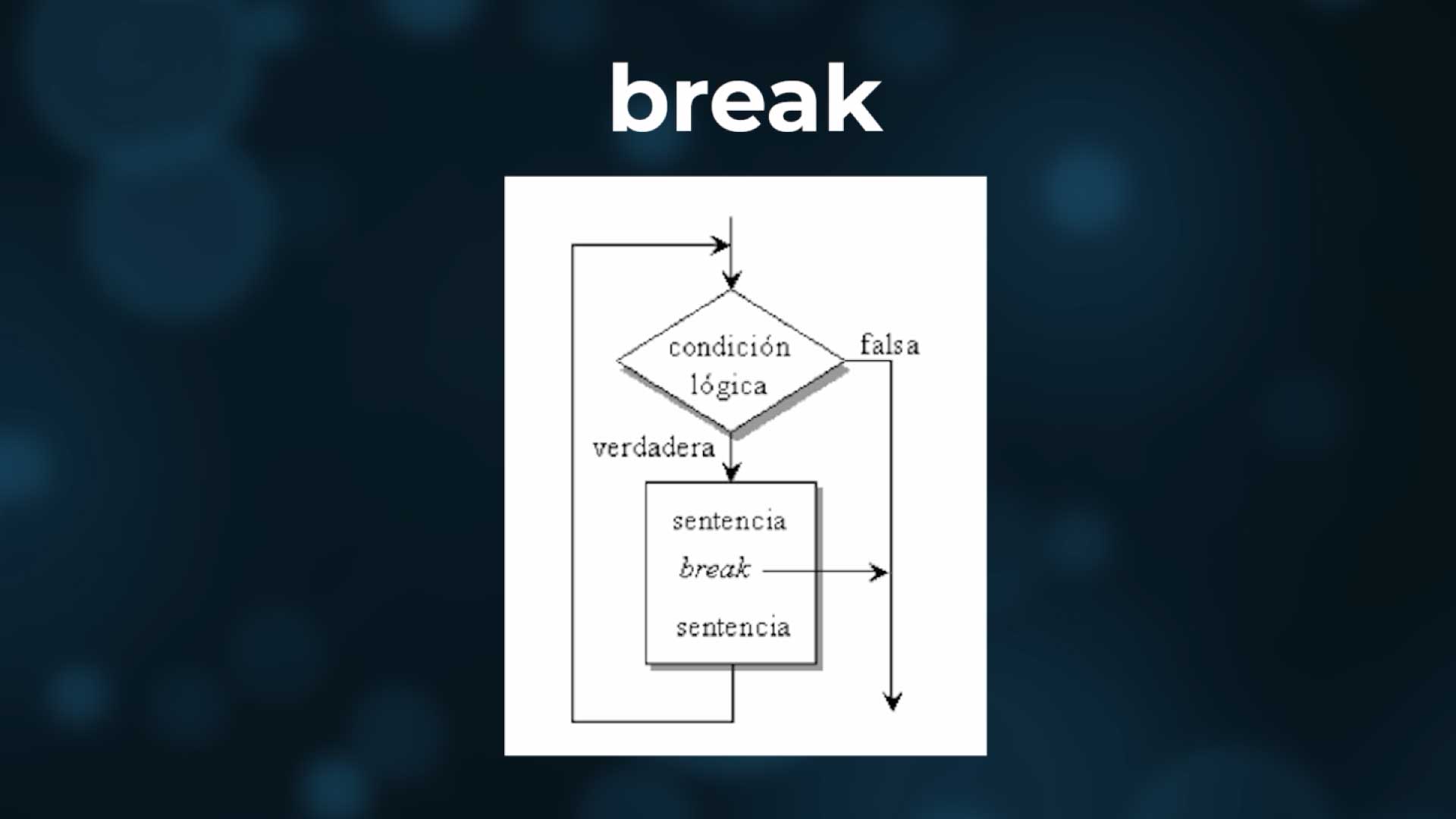
Break
That's as far as we go with algorithms. These are the basic topics that a programmer must master, and the only way to achieve it is by practicing. It's not enough to just read theory; doing programming logic exercises is fundamental.
In the next chapter we will see functions, something fundamental when programming, as it facilitates the resolution of problems and allows teamwork.