In this tutorial, I tell you how to implement PUSH NOTIFICATIONS on Android (Java), through Firebase (the free service Firebase Cloud Messaging FCM), with a Server (backend) in PHP, the complete system, step by step.
# Step-by-step implementation
We will use Firebase Cloud Messaging (FCM), the free notification service from Firebase.
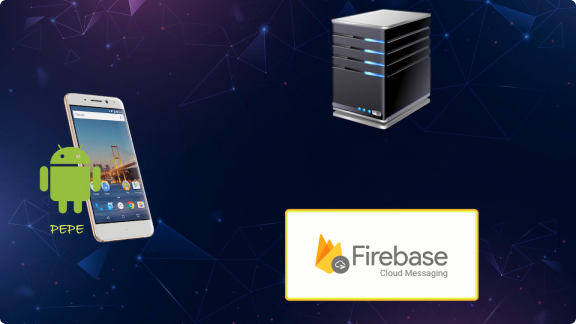
The FCM architecture has three components:
- check_circle The app: our mobile application.
- check_circle The server: the backend that manages the transmissions.
- check_circle FCM: the API that connects both worlds.
# What is the sequence?
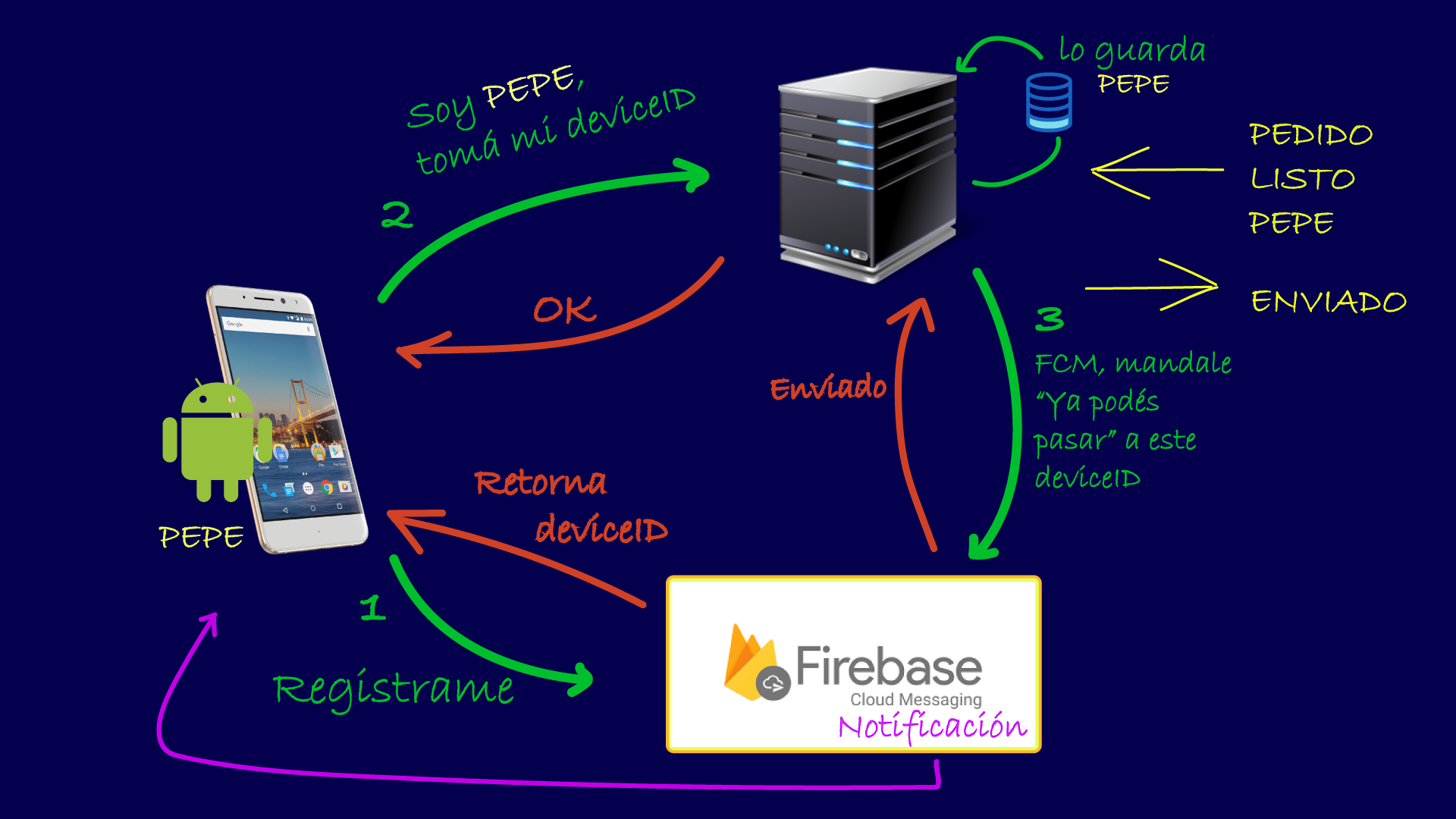
The sequence consists of 3 well-defined steps:
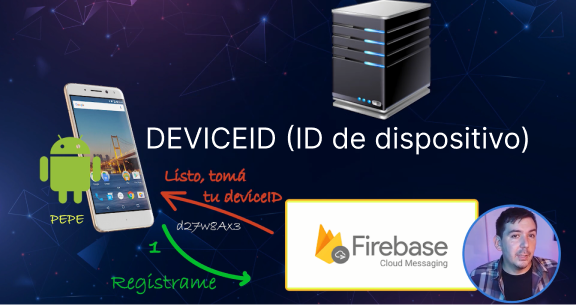
1. Register in FCM
The device sends a registration request to FCM. FCM registers it and returns a unique token: the deviceid.
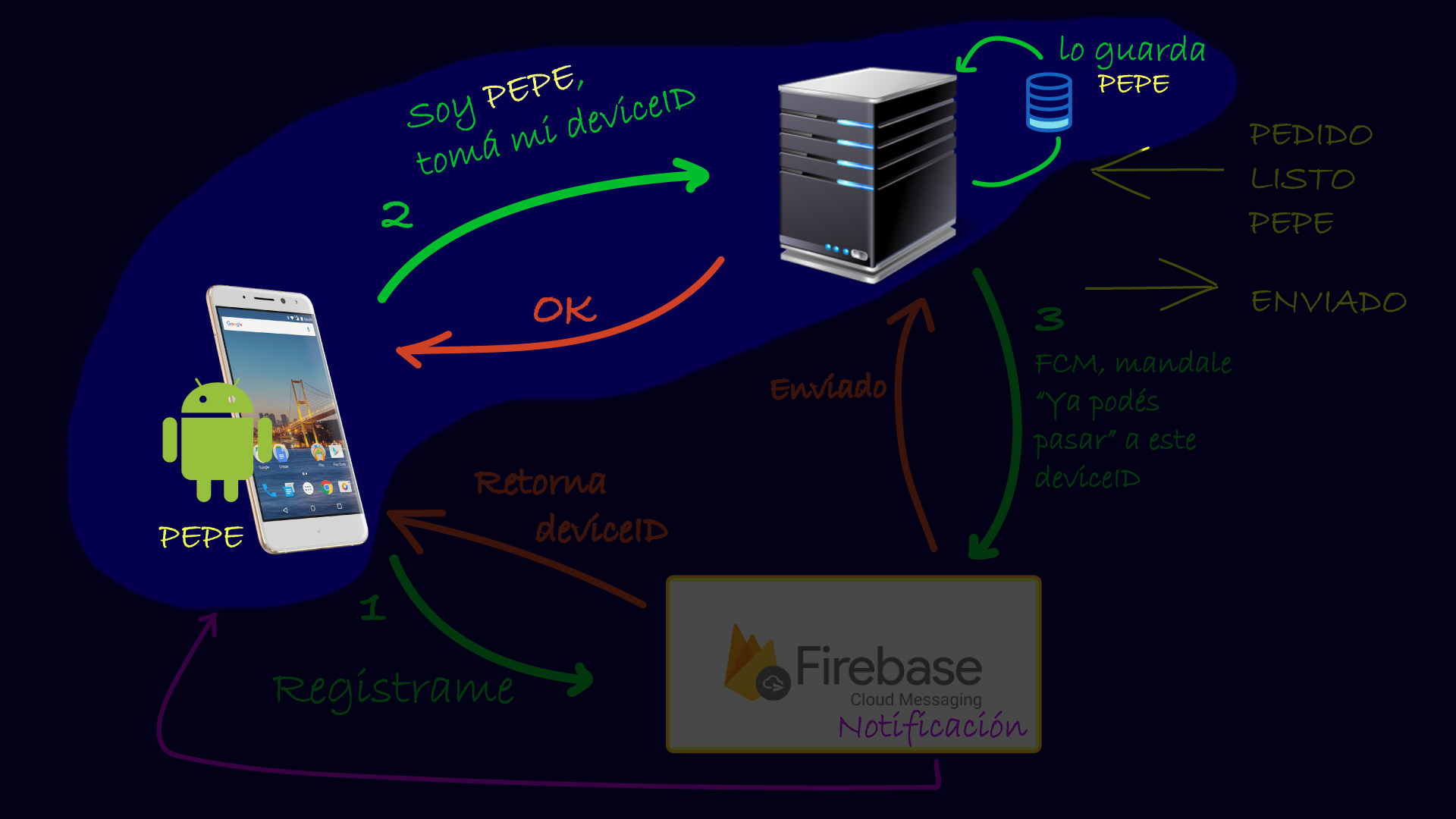
2. Save deviceid on the server
The app sends the token to our server so we know who it belongs to.
3. Send notification
Our server commands FCM to send a specific message to a deviceid.
# Let's get to the CODE!
Project Configuration
We create the app in Android Studio and configure the project in the Firebase console.
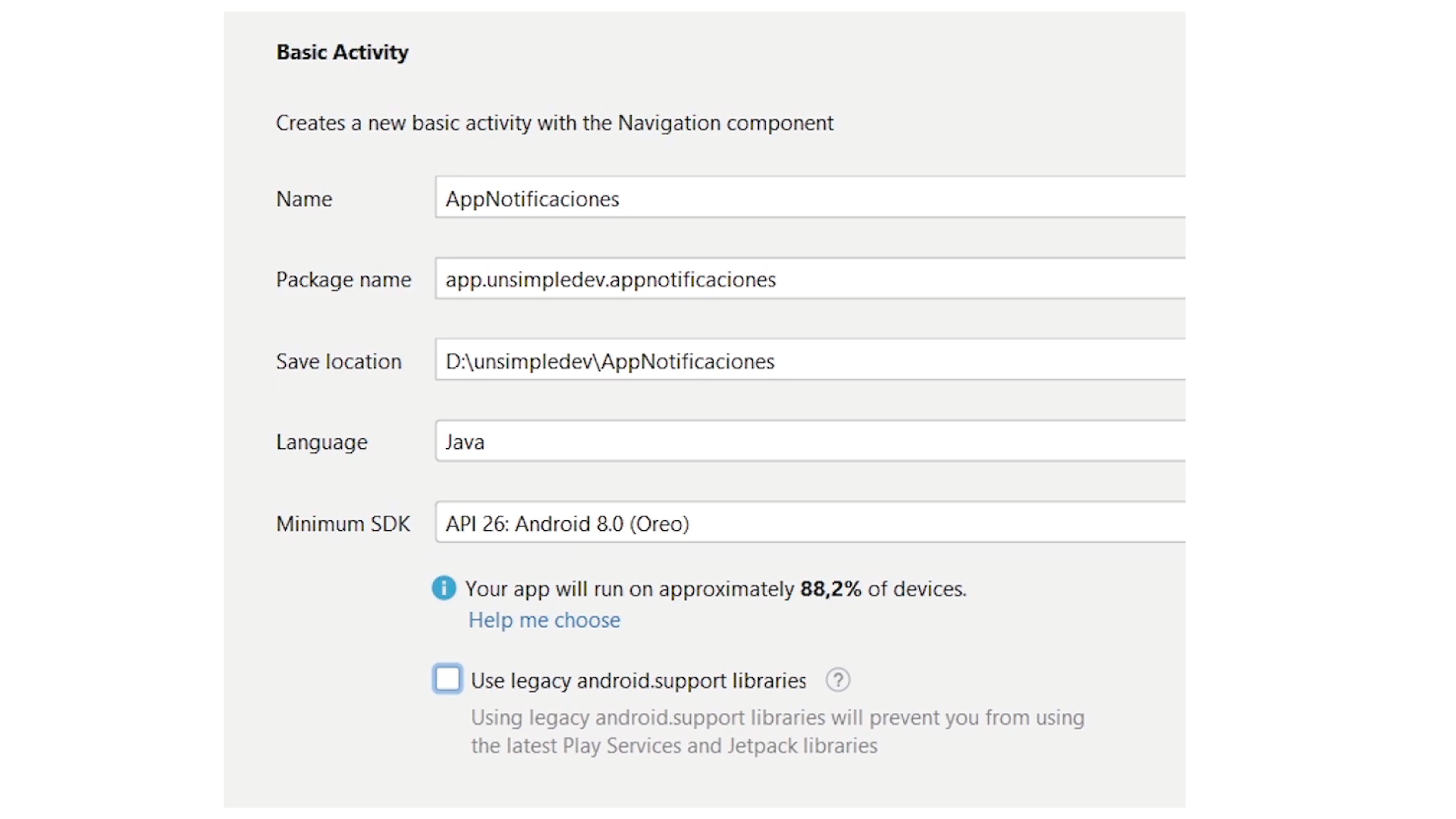
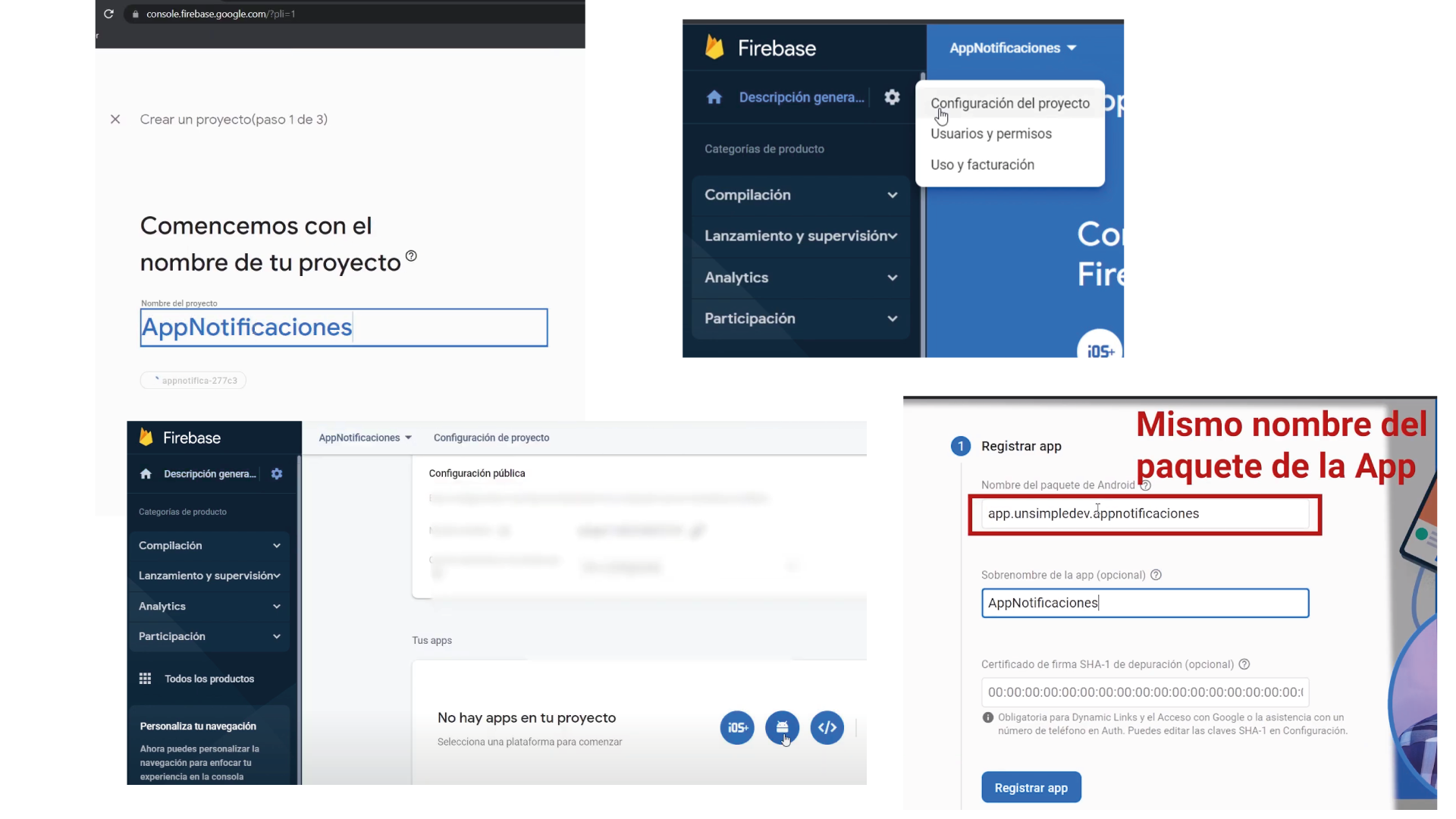
Libraries and Dependencies
plugins {
    id 'com.android.application' version '7.3.1' apply false
    id 'com.android.library' version '7.3.1' apply false
    id 'com.google.gms.google-services' version '4.3.13' apply false
}dependencies {
implementation 'com.google.firebase:firebase-messaging:23.1.1'
implementation platform('com.google.firebase:firebase-bom:31.1.1')
implementation 'com.google.firebase:firebase-analytics'
implementation 'com.android.volley:volley:1.2.1'
}Service Implementation
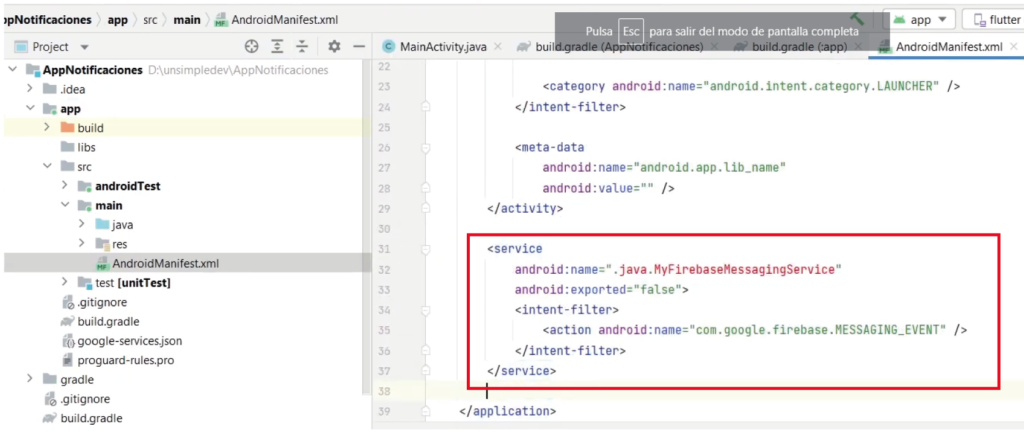
We configure the MyFirebaseMessagingService in the AndroidManifest.xml.
Device Registration
private void registrarDispositivo(){
    FirebaseMessaging.getInstance().getToken()
        .addOnCompleteListener(new OnCompleteListener<String>() {
            @Override
            public void onComplete(@NonNull Task<String> task) {
                if (!task.isSuccessful()) return;

                String token = task.getResult();
                String tokenGuardado = getSharedPreferences(Constantes.SP_FILE,0)
                        .getString(Constantes.SP_KEY_DEVICEID,null);

                if (token != null && (tokenGuardado == null || !token.equals(tokenGuardado))){
                    DeviceManager.postRegistrarDispositivoEnServidor(token, MainActivity.this);
                }
            }
        });
}
# Server Implementation (PHP)
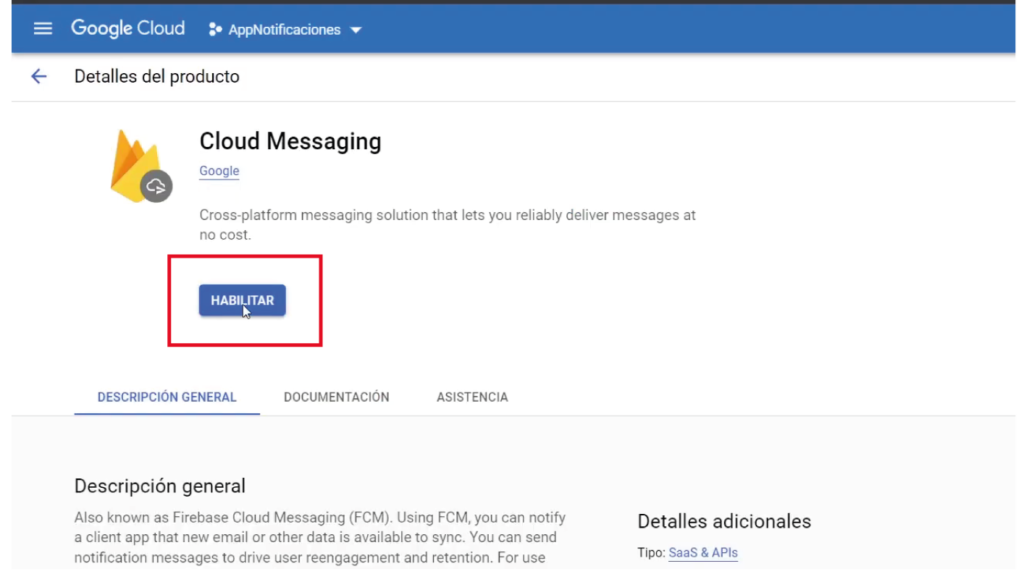
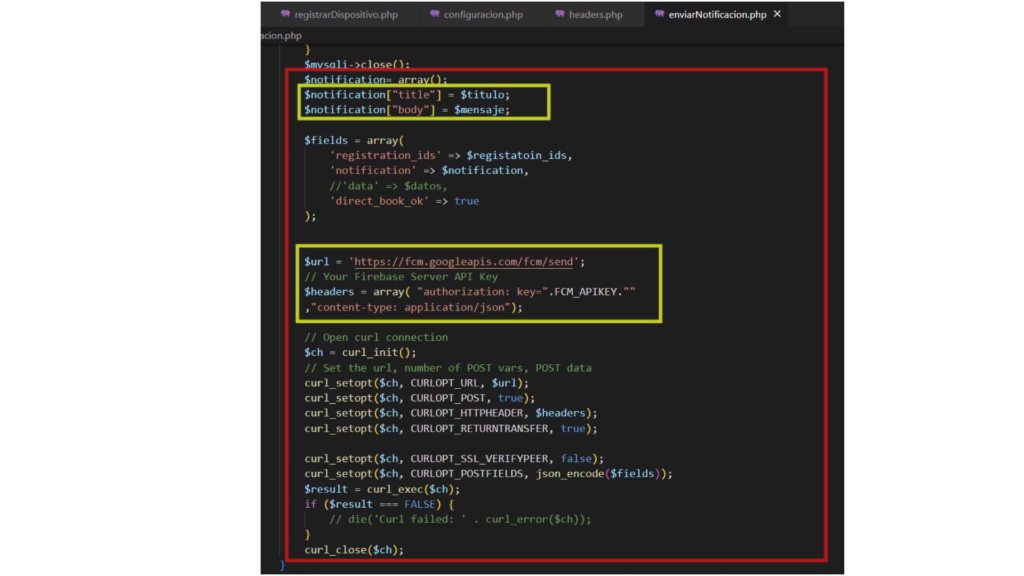
The server stores the tokens in MySQL and uses the legacy FCM API to dispatch messages.
CREATE TABLE `DISPOSITIVOS` (
  `ID` int(11) NOT NULL AUTO_INCREMENT,
  `DEVICEID` varchar(400) NOT NULL,
  PRIMARY KEY (`ID`)
);
# Complete Code
You can download the complete project from GitHub: https://github.com/unsimpledev/ProyectoNotificaciones