A Deployment Diagram is a type of diagram that shows the physical configuration of hardware and software in a system. It is vital for understanding how the system software is mapped to the hardware and how different components and artifacts interact in the production environment.
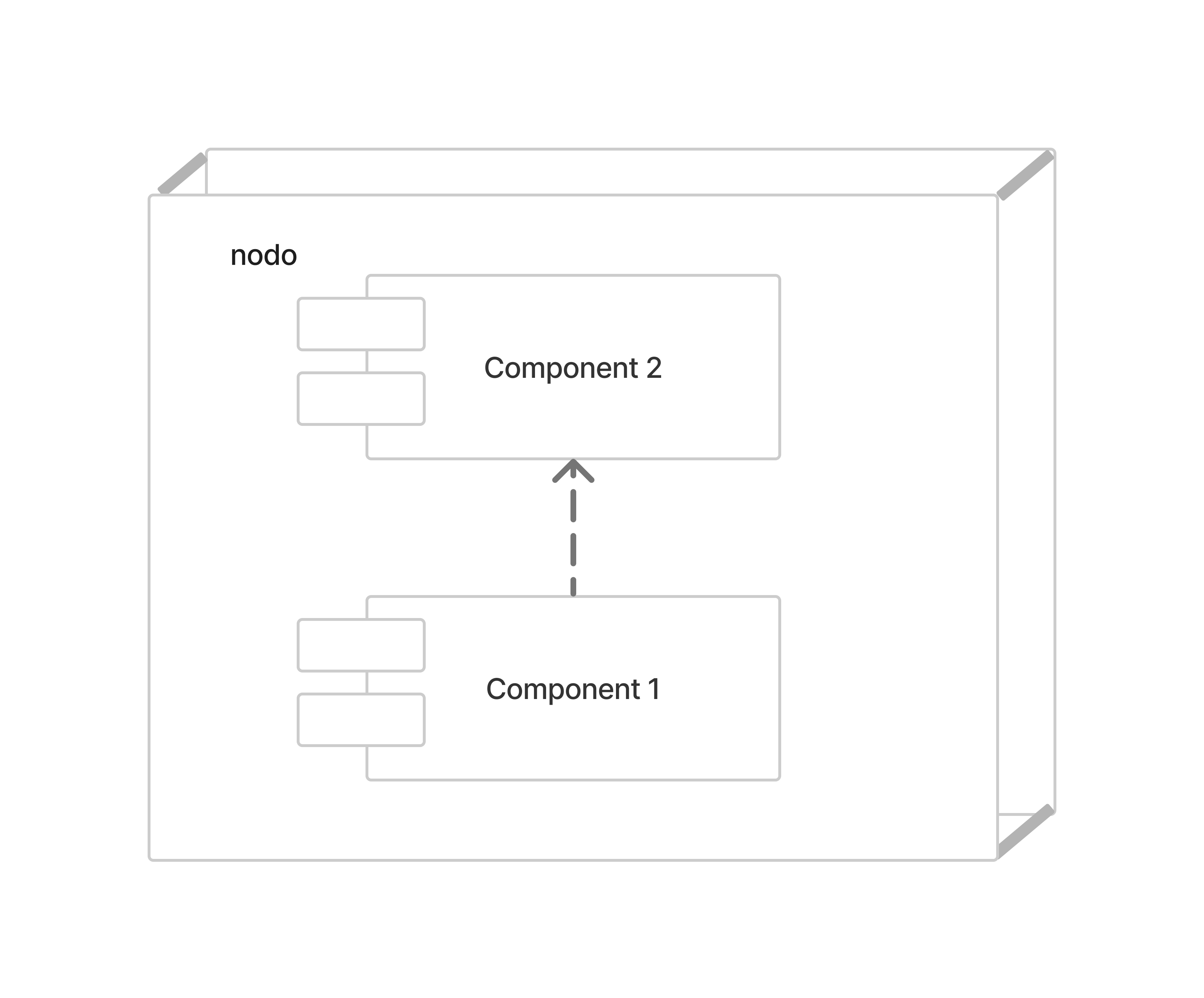
# Key Components
-
Nodes: Physical resources (hardware devices or software containers), represented as 3D cubes.
-
Components: Software elements (libraries, modules, code) that are implemented in the nodes.
-
Dependencies: Follow the same logic as in package diagrams.
# Example: Business Information System
Typical hardware and software configuration for catalog access:
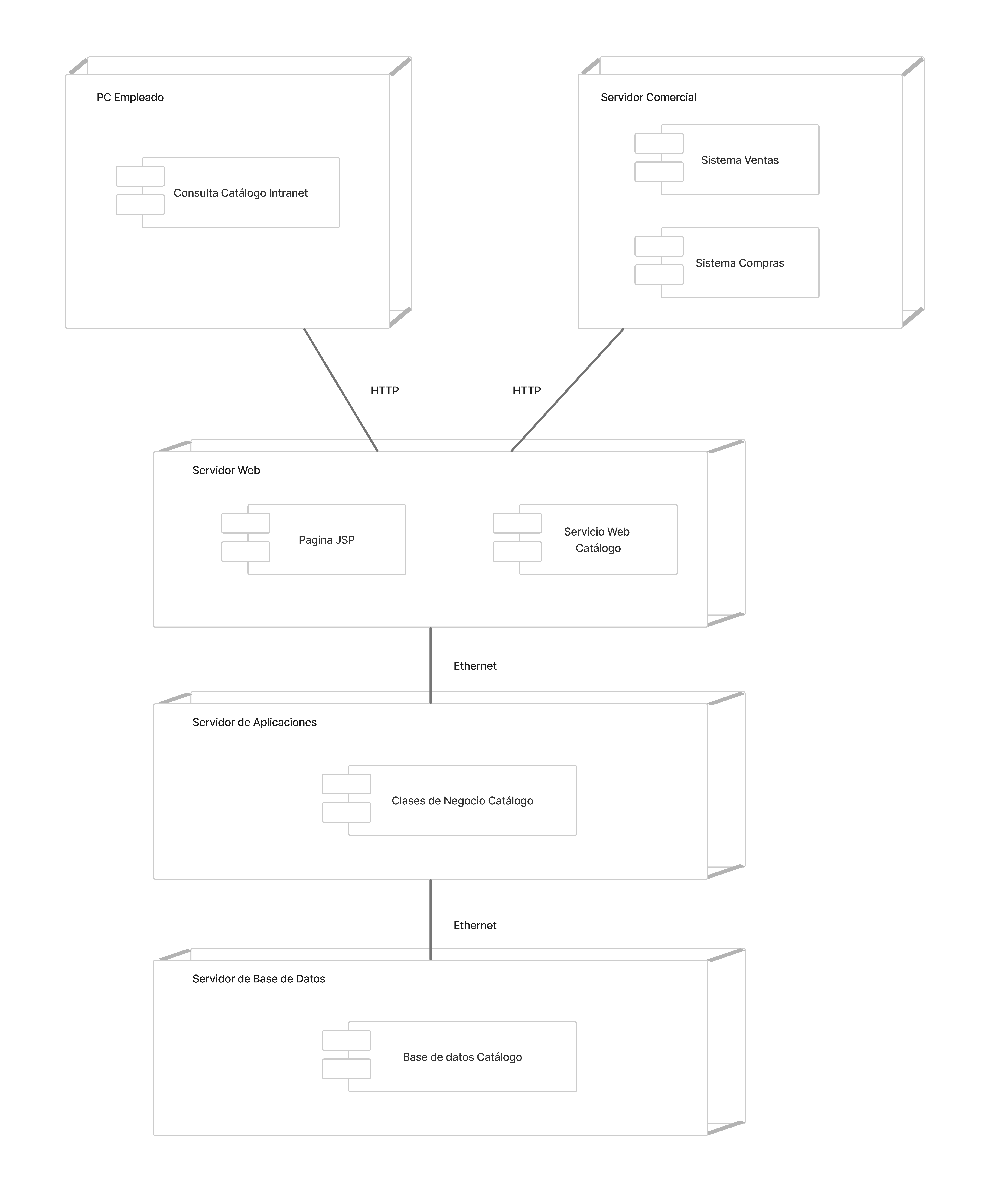
Node-by-node analysis:
Employee PC
Workstation with the "Intranet Catalog Query" interface.
Web Server
Contains JSP pages and the Catalog Web Service.
Application Server
Main business logic (Catalog Business Classes).
Database Server
Persistent catalog storage.
# Purpose
-
Illustrate the physical architecture (nodes, components, connections).
-
Detail software distribution on hardware.
-
Plan the delivery and deployment strategy.
# Advantages
-
verified
Operational clarity for support and OPS teams.
-
verified
Helps identify performance bottlenecks.
-
verified
Essential for documenting network topologies.
# Conclusions
The Deployment Diagram is a fundamental tool for software architects and operations engineers. It offers a detailed view of how a system is structured in its operating environment and is essential for any software deployment process.