In the world of software development, Cyclic or Repetitive Structures are the pillar of efficiency. We will learn to master loops, cycles, and repetitions, which are executed through fundamental actions: FOR - WHILE.
# What are Cyclic Structures?
In this article we will see cyclic structures, which through conditions allow repeating the execution of a set of actions automatically.
This is something that isn't always so clear and seems difficult, but it's used extensively in software engineering! When we see examples you will understand it and realize its importance for writing clean and efficient code.
# Logic and Diagrams of Cyclic Structures
The logical syntax is written as follows to ensure correct flow control:
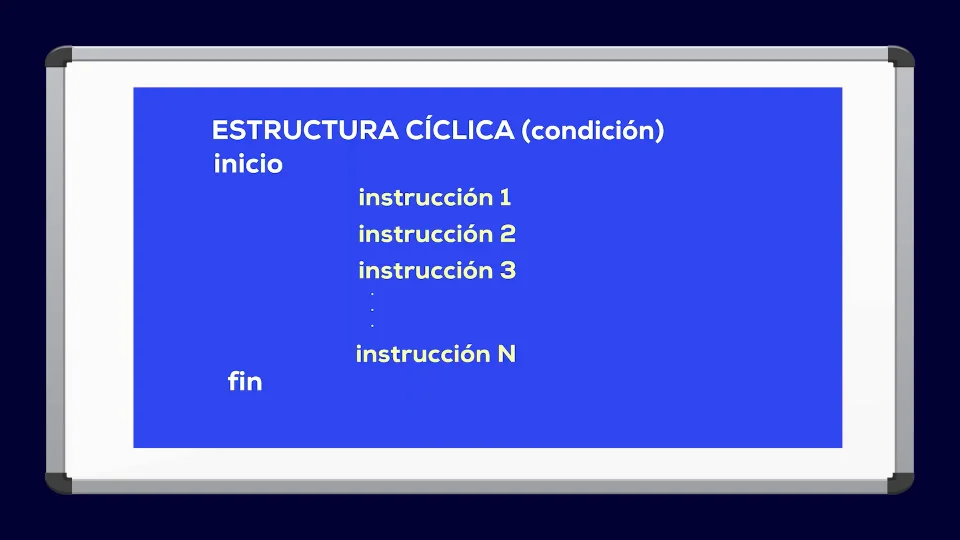
We have a block with an iterative instruction (loop, cycle) that has a logical condition that determines execution:
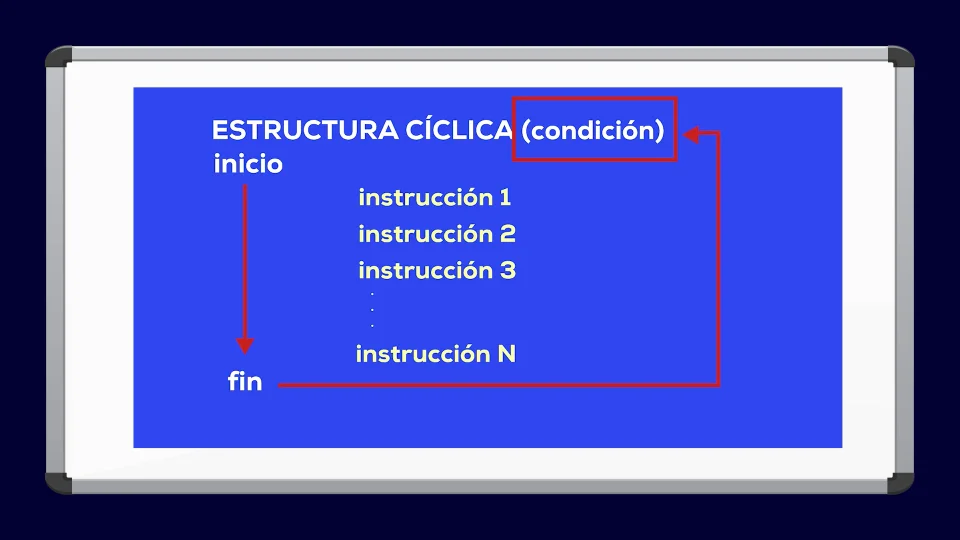
If the condition is met, the block is entered and all instructions within the block are executed. When the last instruction of the block is executed, the processor re-evaluates the condition, and if it is met, the cycle repeats.
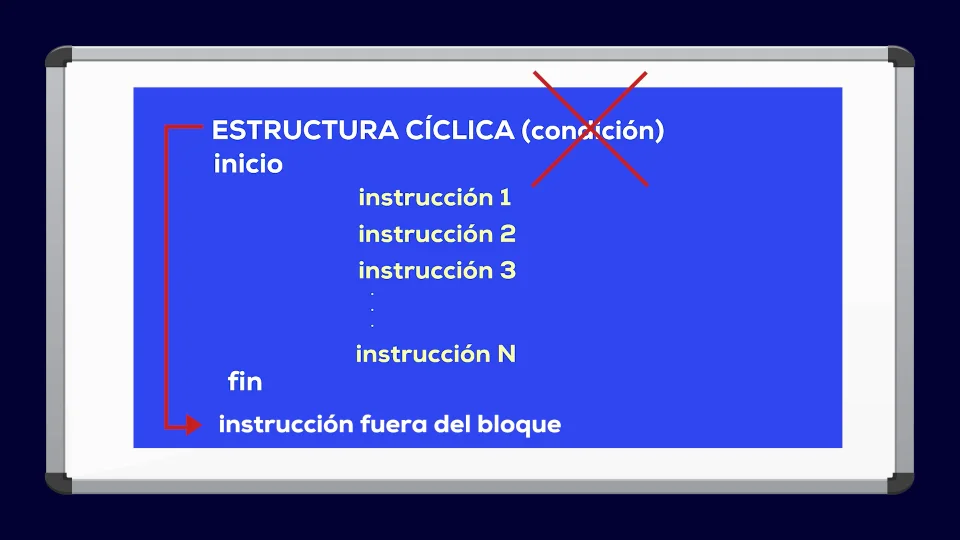
The loop is exited when the condition is not met; in that case, it continues with the line below the block, releasing the program flow.
# And what is the purpose of repeating instructions?
Let's suppose we have a program that asks us to print numbers from 1 to 3. In traditional development, we could write each line manually:
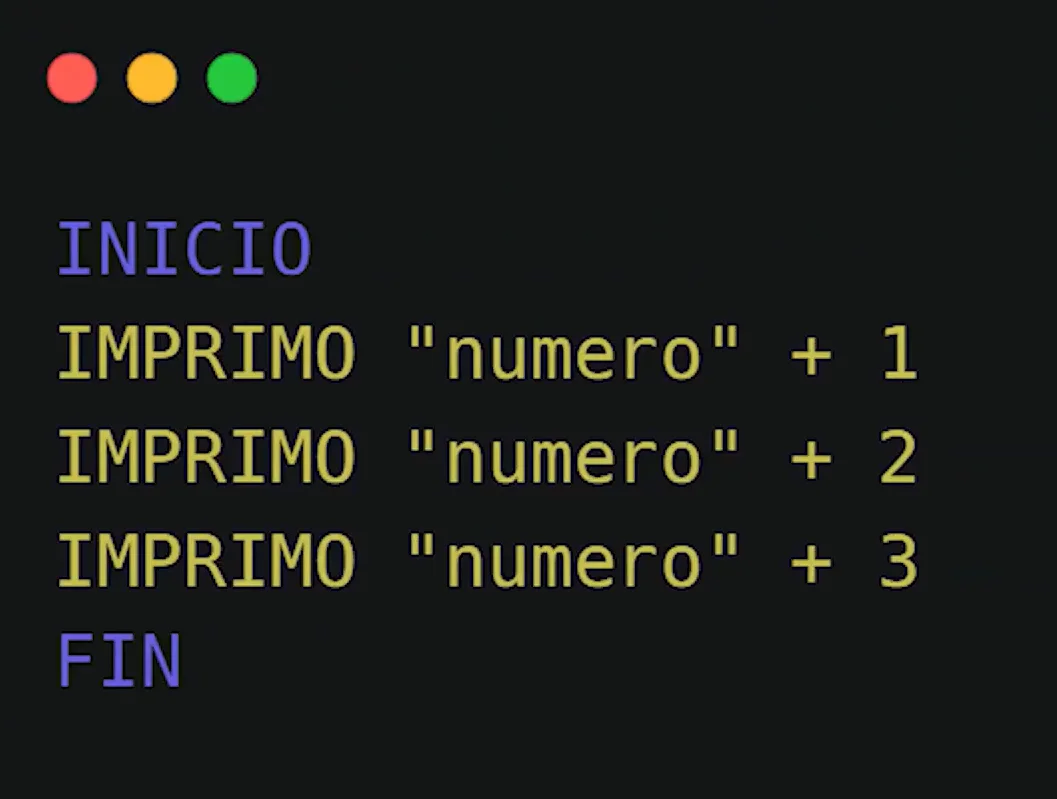
With 3 print lines we solve it, the text "number" concatenated (added as a word) to the number (1, 2, 3).
What if they ask to add 4 and 5? We add the manual printing of number 4 and number 5.
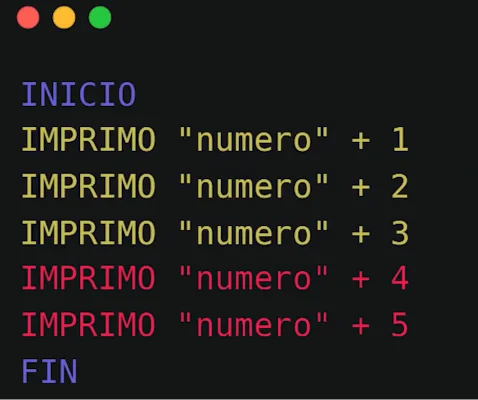
But if they ask for 100 or 10,000, we won't write it 100 times! For repetitive situations and processing massive data we have loops. Let's see two types of high-performance cyclic structures: FOR and WHILE.
# The FOR Cycle in Detail
The FOR cycle iterates over a defined sequence, ideal for when we know in advance how many repetitions we have to do.
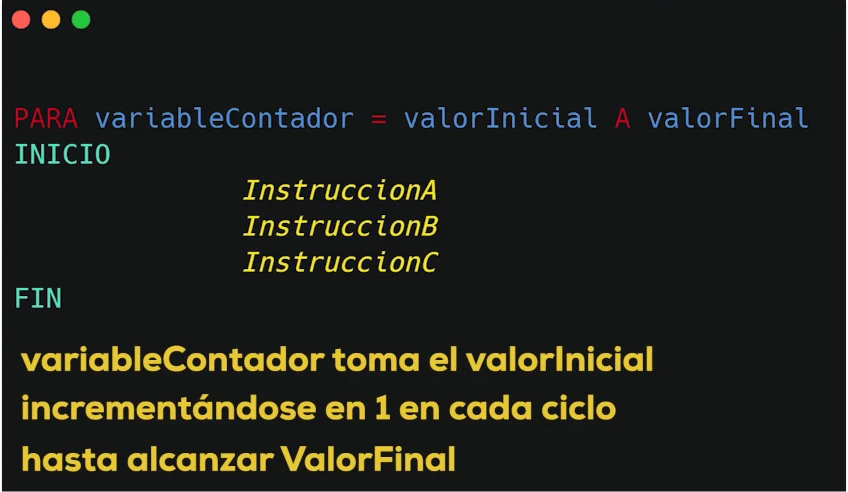
This cycle will iterate from the initialValue to the finalValue, executing instructions A, B, and C in each step. The counterVariable will have one added automatically in each iteration. Once it exceeds the finalValue, it exits the cycle.
If we have to print from 1 to 100, how do we do it? The first number to print is 1 and the last is 100; the cycle has to go through all those numbers sequentially.
So we define our parameters:
- initial value = 1
- final value = 100
Then, the logic of the algorithm becomes:
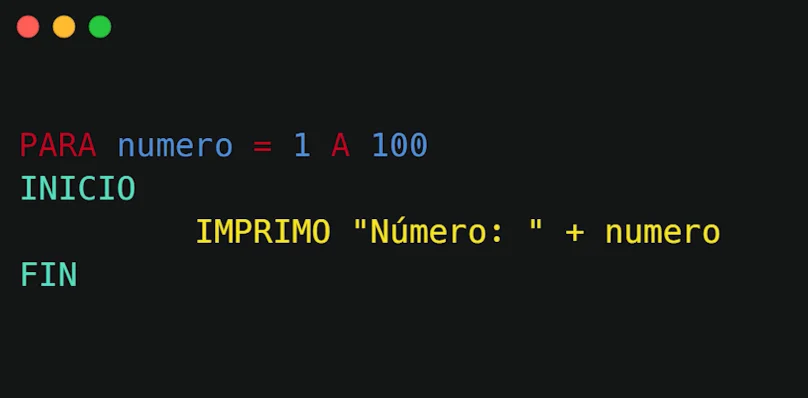
For number 1 to 100 print number end of cycle. In just three lines of professional code we solved the problem!
# The WHILE Cycle: Control by Conditions
On the other hand we have another very powerful cyclic structure, the WHILE which executes while a logical condition of state is met.
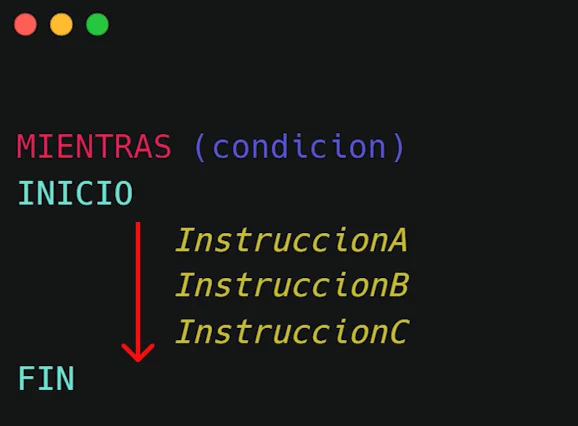
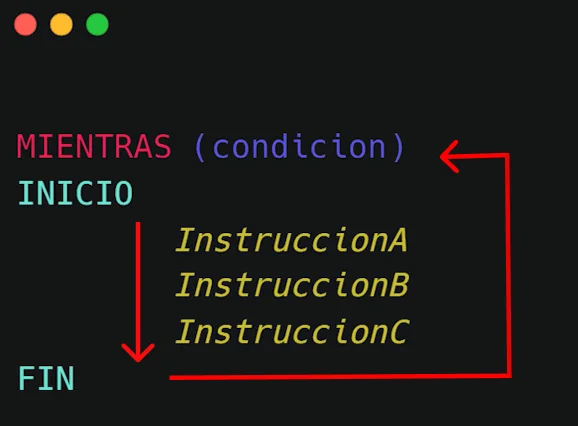
The condition is evaluated; if it's true, the block is entered and instructions A, B, and C are executed. After executing instruction C, the condition is re-evaluated; if it's true, it enters the block again, and repeats until the condition is false, in which case it continues with the next line of code.
info Important for Programmers
Inside the block I must make sure to change the parameters of the condition, so that at some point it exits the cycle.
Let's notice something: the cycle might never execute if the first time it evaluates the condition it is false, it never enters the block.
For example, for the case of printing numbers from 1 to 100, the condition could be that the number is less than or equal to 100. Now, where does number start? It has to be initialized.
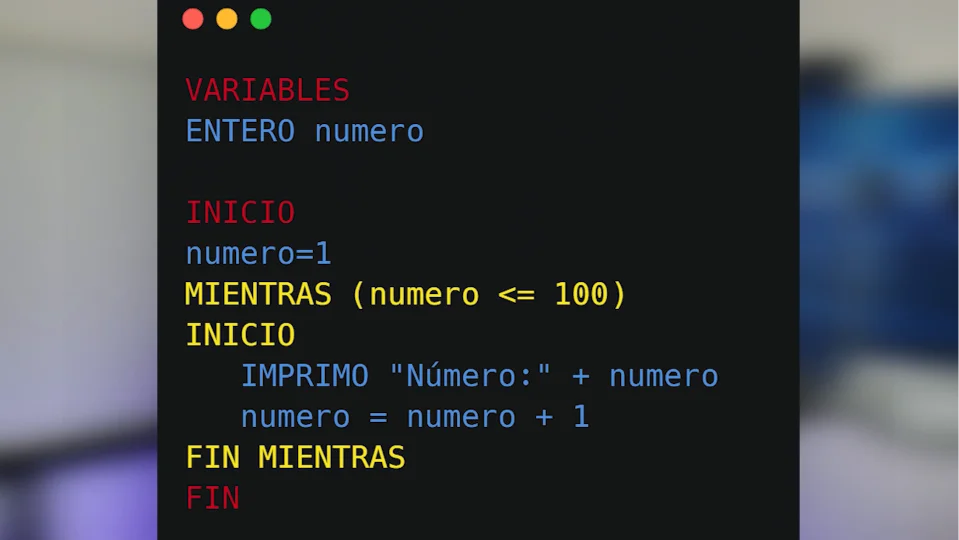
When number is 100, we increment number, and it will be 101, so when re-evaluating it will not meet the condition and exits the cycle safely.
# Practice Workshop: Exercise 1 (Data Counting)
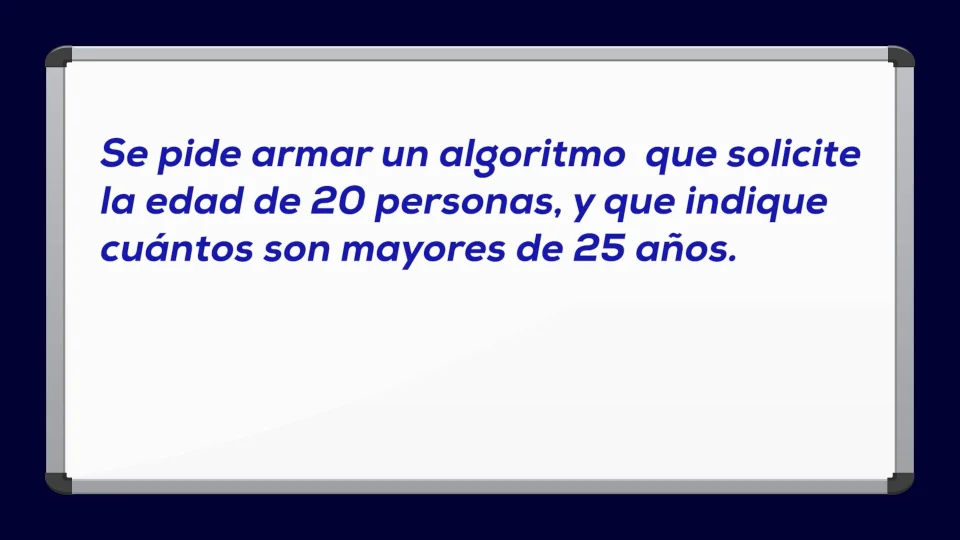
We are going to have 20 people, a fixed number, which in programming can be defined as a constant.
For each of these 20, we must ask for the age; then a variable will be age (an integer number).
- We declare the constant PEOPLE that is 20, and variables age, amountOfAdults, and counter.
- We initialize the variable amountOfAdults: at the start there are zero adults, we initialize it to zero.
- We set up a FOR cycle that goes from 1 to PEOPLE, managing the 20 ages.
# Practice Workshop: Exercise 2 (Input Verification)
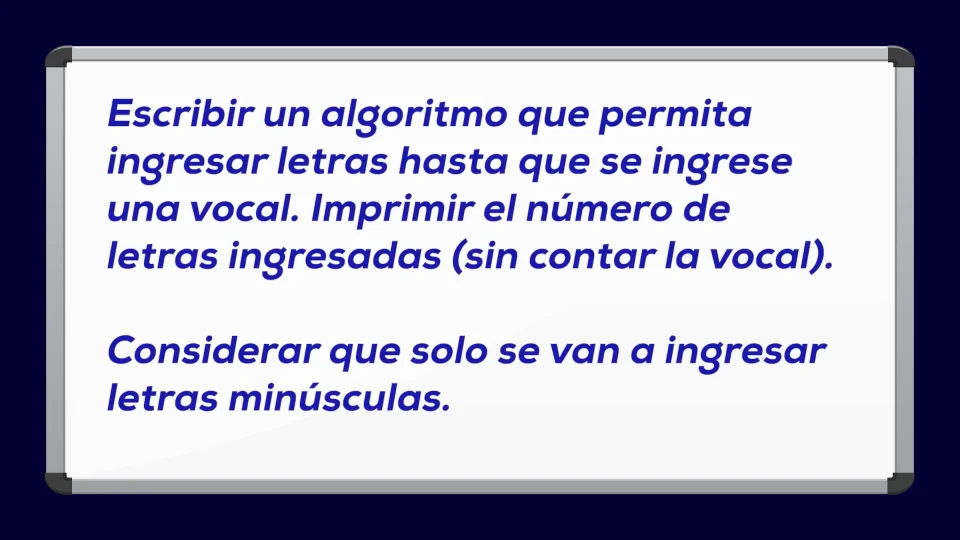
The algorithm will read characters until the entered character is a vowel. This indicates that we will need a variable; we can call it letter of type character (char).
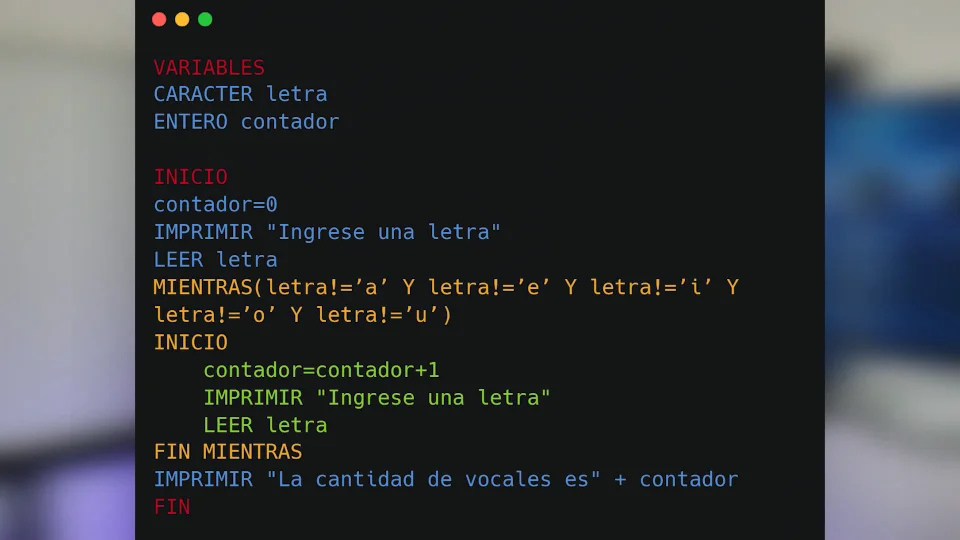
- Variables: letter of type character, counter integer.
- We load the counter at zero, because no letter has been entered yet, and we read the first entry.
- We start the cycle: if the condition is met, that is if letter is not a vowel, we increment the counter and read letter again.
# Practice Exercises
Here are some solved exercises for you to test your knowledge of algorithmic logic:
Write an algorithm that allows entering numbers until the sum of all exceeds 100.
VARIABLES: INTEGER number, INTEGER sum
START
  sum = 0
  WHILE (sum <= 100)
  START
    PRINT "Enter a number"
    READ number
    sum = sum + number
  END
  PRINT "Total sum reached is: " + sum
ENDBuild an algorithm that reads the age of 10 people and determines how many are older than 21 years.
VARIABLES: INTEGER age, adultsOver21, minorsUnder21, counter
START
  adultsOver21 = 0, minorsUnder21 = 0, counter = 0
  WHILE (counter < 10) DO
    PRINT "Enter the age of person " + (counter + 1)
    READ age
    IF (age >= 21) THEN
      adultsOver21 = adultsOver21 + 1
    ELSE
      minorsUnder21 = minorsUnder21 + 1
    counter = counter + 1
  END_WHILE
  PRINT "Results: Adults: " + adultsOver21 + " | Minors: " + minorsUnder21
ENDVARIABLES: STRING response
START
response = "YES"
WHILE (response == "YES")
START
PRINT "Do you wish to continue with the program? (YES/NO)"
READ response
END
PRINT "The system has finished correctly."
ENDVARIABLES: INTEGER sum, number
START
sum = 0
FOR number = 1 TO 1000
sum = sum + number
END_FOR
PRINT "The total summation from 1 to 1000 is: " + sum
ENDStrategy: successive divisions by 10.
VARIABLES: INTEGER number, amountOfDigits
START
  amountOfDigits = 0
  PRINT "Enter a positive integer"
  READ number
  WHILE (number > 0)
  START
    number = number / 10
    amountOfDigits = amountOfDigits + 1
  END
  PRINT "The total number of digits detected is: " + amountOfDigits
END
In the next article, we will see functions, something that allows us to divide a complex problem into simple problems, easy to solve.
Resources used
- Image by tonodiaz on Freepik
- Image by brgfx on Freepik
- Image by rawpixel.com on Freepik
- Image from Freepik
- Image from Freepik
- Image from Freepik